Creating amazing AI art with Nano Banana begins with good prompts. After testing many options, we've made this guide of 43+ proven prompts. These prompts create professional results like portraits, gaming art, product design, and architecture.
If you're a designer needing mockups, a creator building a brand, or just exploring AI art, this guide helps. It has ready-to-use prompts sorted by category, so you can start creating fast.
Quick Prompt Formula for Success
Before using prompts, follow this simple structure for great results:
[Style] + [Subject] + [Action/Pose] + [Environment] + [Lighting] + [Mood/Atmosphere]
Example: "Cinematic portrait of a young woman, looking over her shoulder, rooftop at sunset, golden hour rim lighting, contemplative and serene."
Use this formula to adjust any prompt below.
Artistic Portrait Prompts
AI-generated portraits are great for professional and creative needs. These prompts help create polished images for profiles or portfolios.
Prompt 1 — Executive Headshot
Create a professional LinkedIn profile photo following best practices:
- Keep the person's facial features and identity exactly the same
- Professional attire: business suit/blazer, crisp collar visible
- Background: Clean solid color (light gray, white, or light blue), sharp and clear, NOT blurred
- Posture: Straight shoulders, facing camera directly, slight angle acceptable
- Expression: Genuine smile, confident, approachable
- Framing: Head and shoulders visible, face takes up 60% of frame
- Lighting: Even, professional lighting, no harsh shadows
- Eye contact: Looking directly at camera
- High resolution, sharp focus throughout
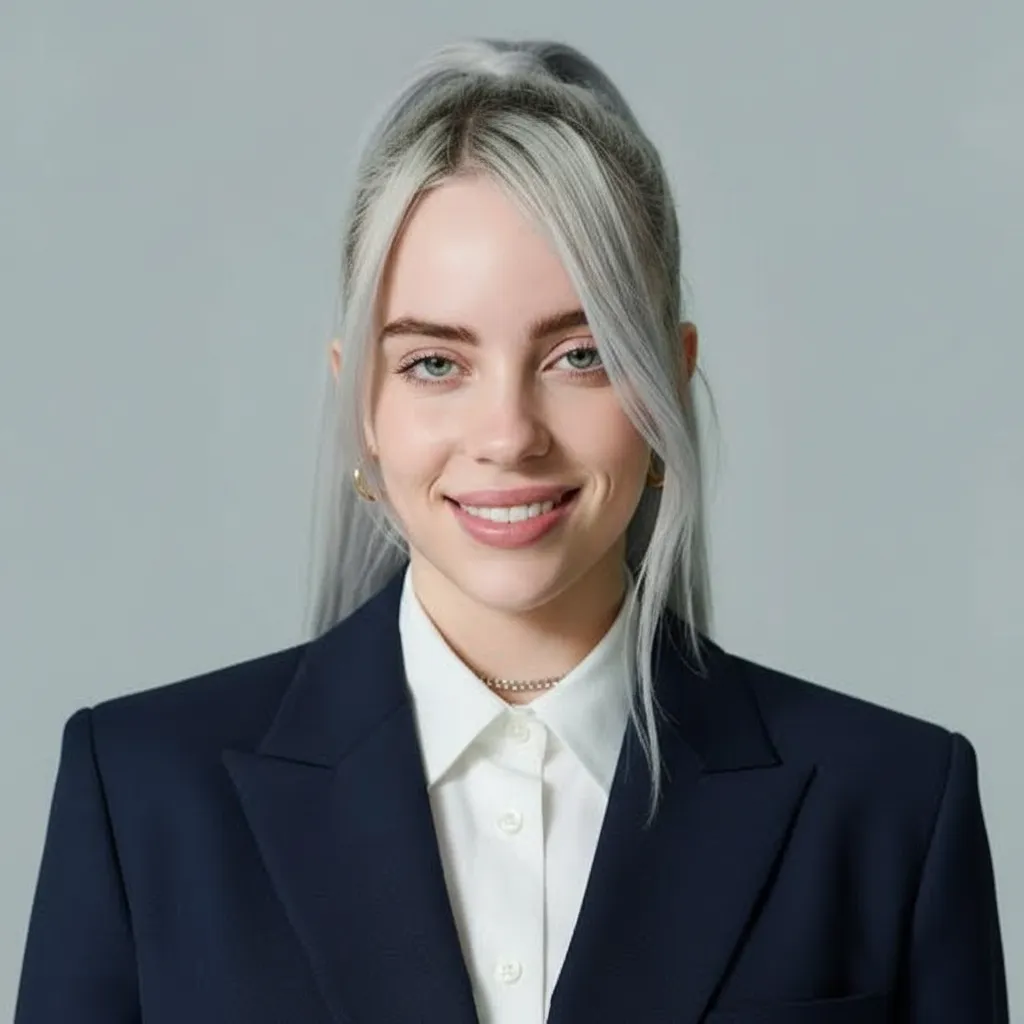
Best for: LinkedIn profiles, company websites, professional directories
Pro tip: Use "NOT blurred" for the background. Recruiters prefer clean, solid backdrops over bokeh.
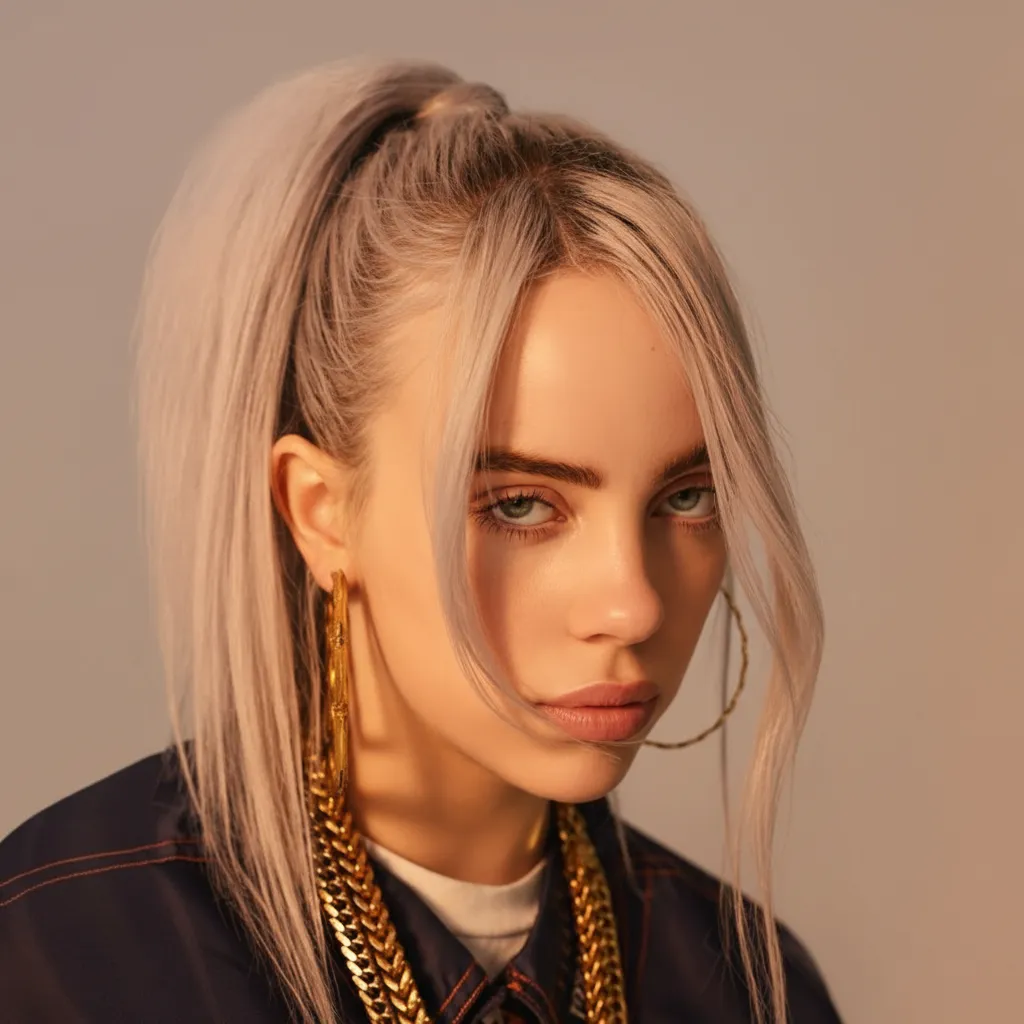
Prompt 2 — Creative Artist Portrait
Transform the above image into a top-tier portrait shot taken in a photography
studio, requiring a half-body shot with coordinated and natural movements,
close-up shot, focusing on the face. The subject's clothing and gestures should
be changed to urban casual style, with an overall atmosphere leaning towards
profound but not deliberate. The overall effect is quiet, profound, and gentle.
The background presents a soft gradient effect, creating a sense of depth and
serene atmosphere. The delicate film grain texture adds a tactile, analog
photography-like soft quality to the image, reminiscent of classic black and
white photography. A gentle directional light, softly diffused, caresses the
contours of the subject's cheeks, or creates catchlights in the eyes — this is
the emotional core of the image. The rest is occupied by a large amount of
negative space, deliberately kept minimal, allowing the image to breathe freely.
There is no text or logos in the frame — only the interweaving of light, shadow,
and emotion. Top photographer's portrait style, off-center composition.
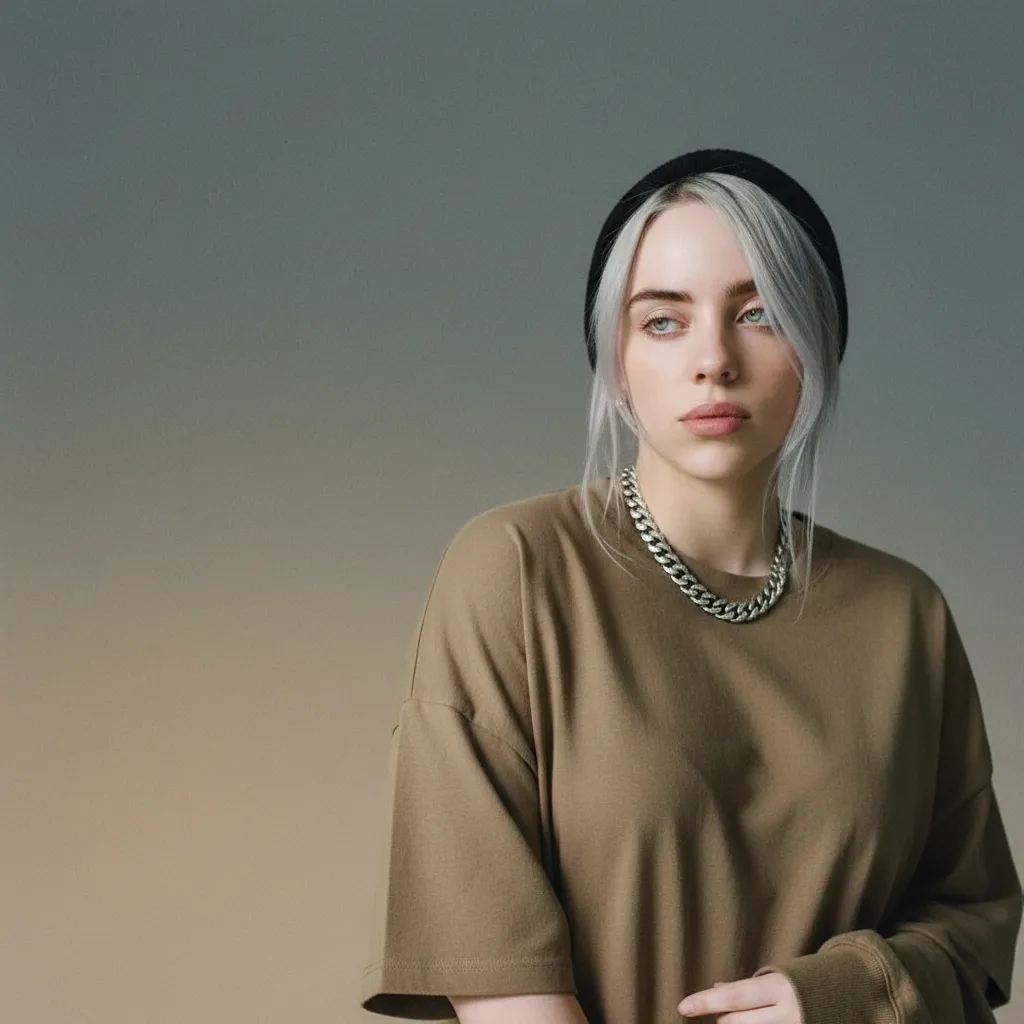
Best for: Artist portfolios, creative agency bios, exhibition materials
Pro tip: Use "film grain texture" and "negative space" for a magazine-style artistic look.
Prompt 3 — Corporate Team Photo
Create studio portrait photographs of the people in the picture, using a black
background and black T-shirts, with side lighting and a slight tilt of their
bodies.
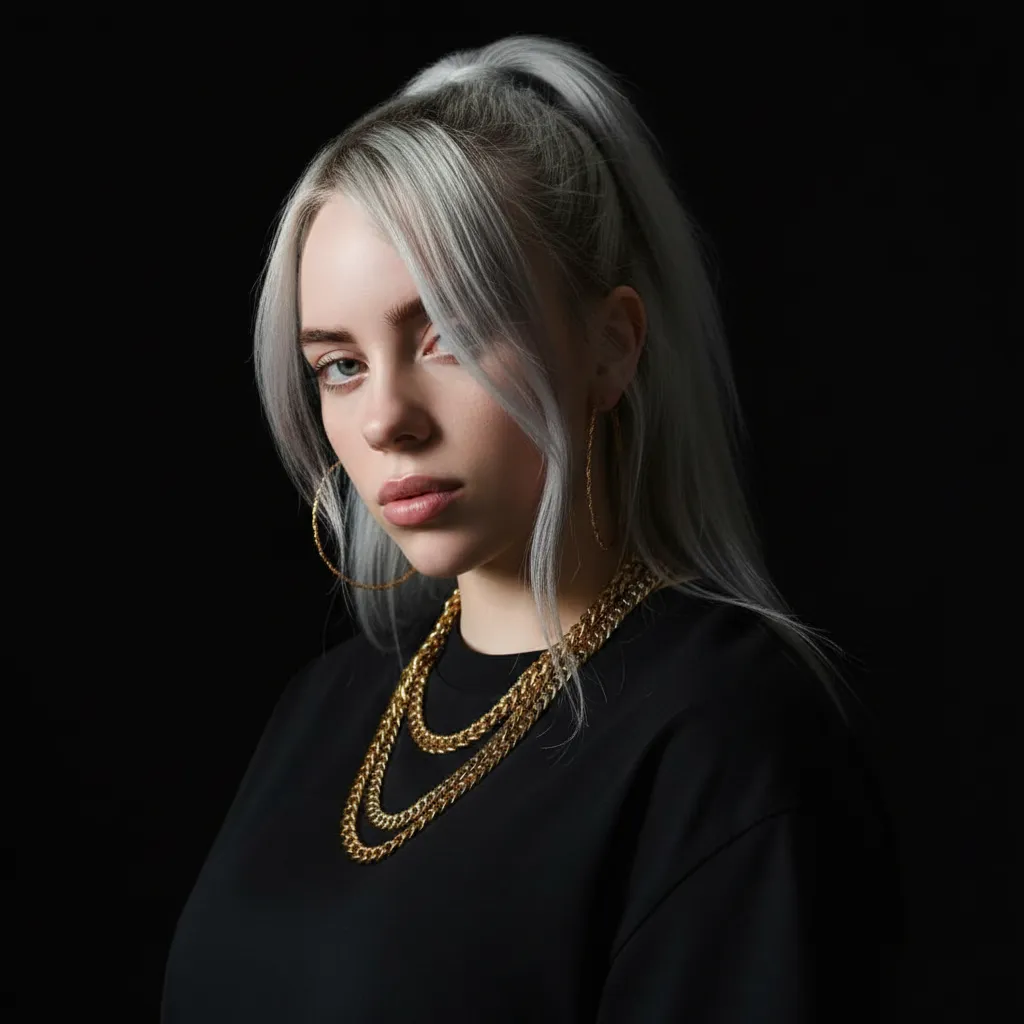
Best for: Company team pages, startup websites, modern corporate materials
Pro tip: Short prompts work well for studio shots. Black backgrounds and T-shirts highlight lighting and expressions.
Gaming & Pop Culture Styles
Turn your photos into iconic gaming art styles. These prompts show visuals gamers and fans love.
Prompt 4 — GTA V Style Character
Create GTA V style artwork of the person in the image. Use Grand Theft Auto
loading screen look with dramatic lighting and bold colors.
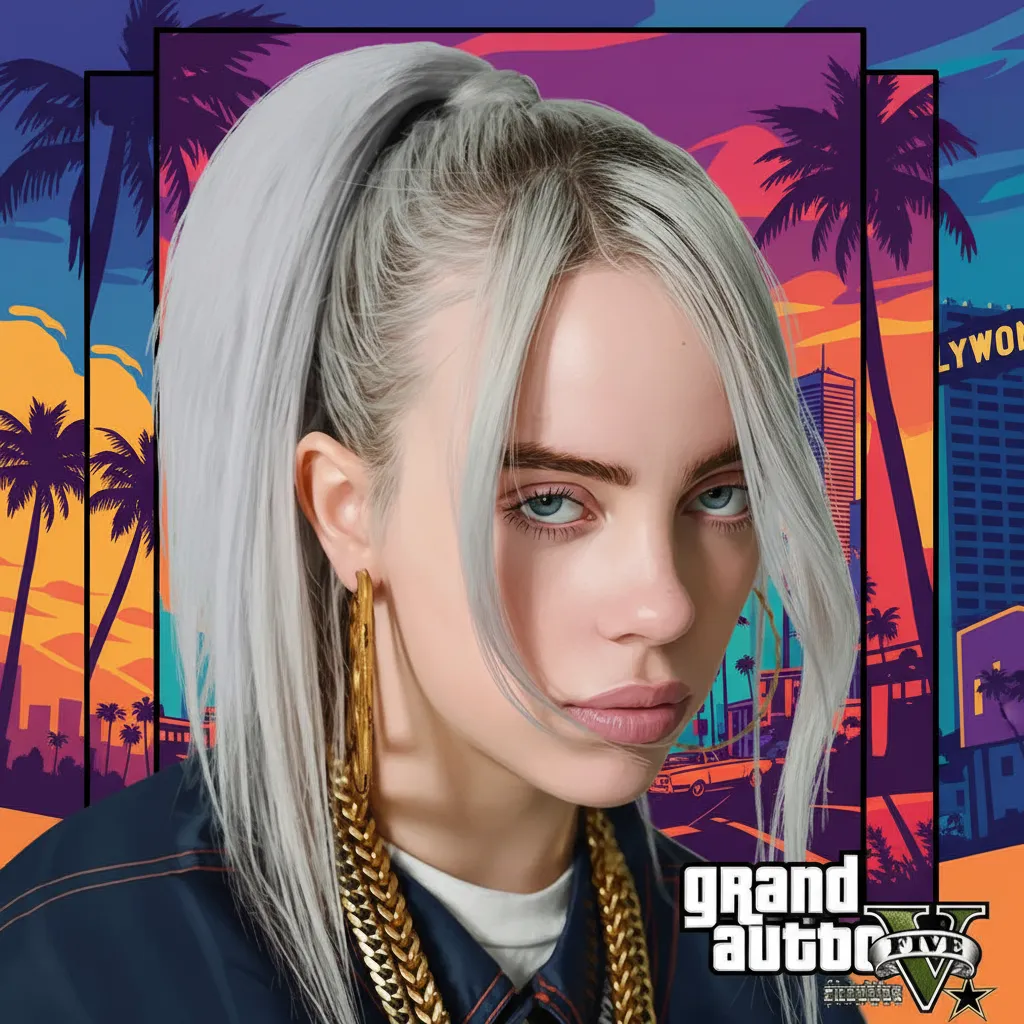
Best for: Gaming profiles, YouTube thumbnails, social media avatars
Prompt 5 — GTA Action Poster
Transform into GTA V promotional artwork. Use character art style with cinematic
composition, Los Santos backdrop, game poster quality.
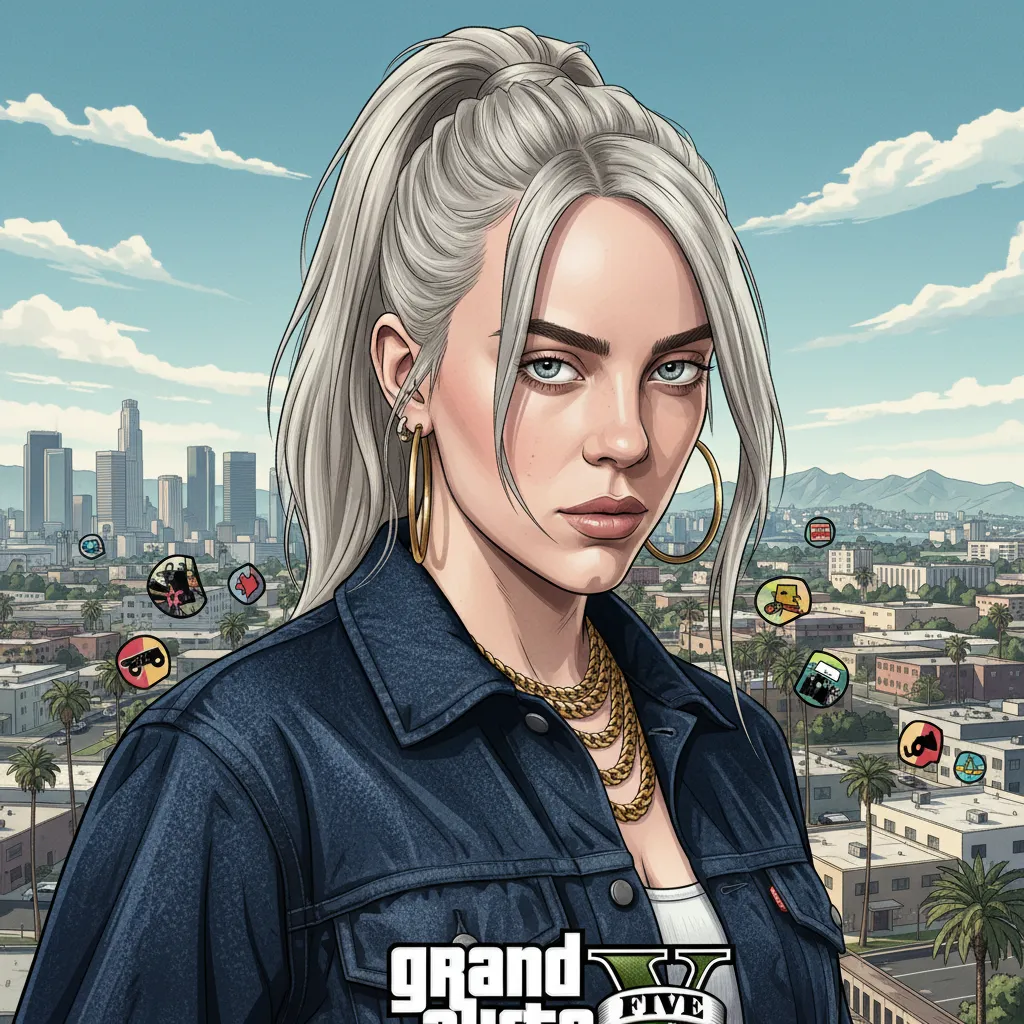
Best for: Gaming content, Twitch profiles, Discord avatars
Prompt 6 — 16-bit Adventure Character
Recreate this character as a 16-bit video game character. Place the character
in a level of a 2D 16-bit platform video game.
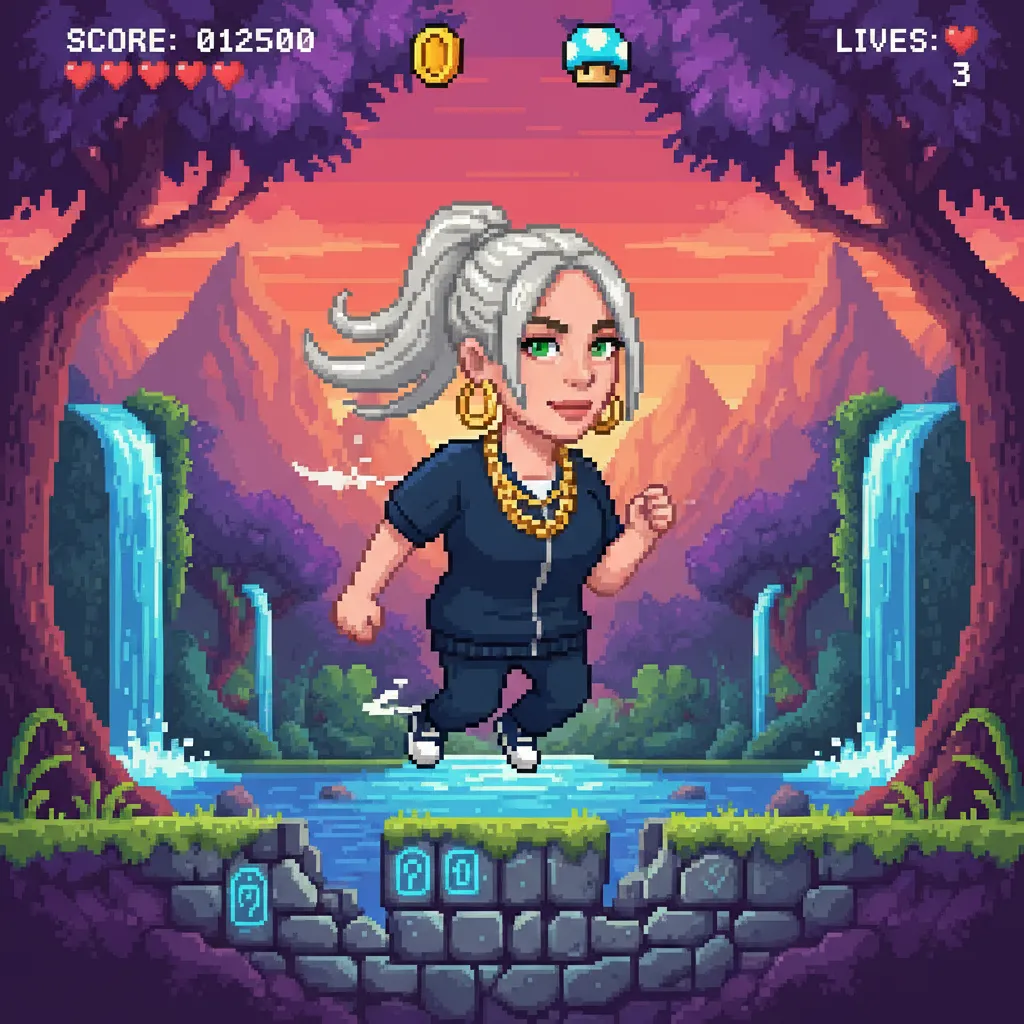
Best for: Retro game projects, pixel art collections, nostalgic content
Prompt 7 — Pixel Art Icon
Transform to pixel art: retro 8-bit or 16-bit video game style. Show clear pixel
grid, reduced resolution with blocky look, simplified color palette, nostalgic
arcade game feel. Keep subject's key features while pixelating.
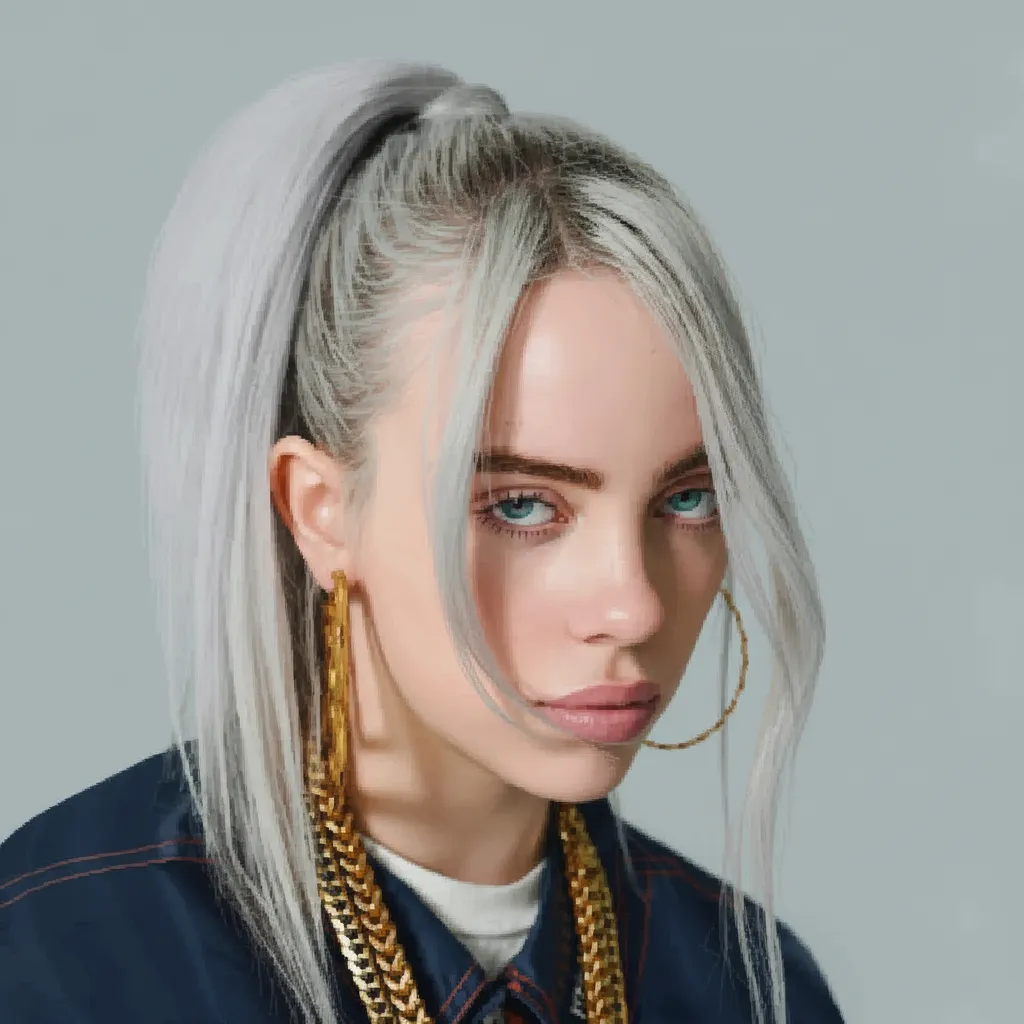
Best for: App icons, game assets, retro branding
Pro tip: Adding "clear pixel grid visible" makes the output look truly retro, not just low-resolution.
Creative Transformations
Discover art styles that break boundaries — from 3D models to simple illustrations.
Prompt 8 — 3D Character Model
A highly stylized 3D caricature of this Character, with expressive facial
features, and playful exaggeration. Rendered in a smooth, polished style with
clean materials and soft ambient lighting. Bold color background to emphasize
the character's charm and presence.
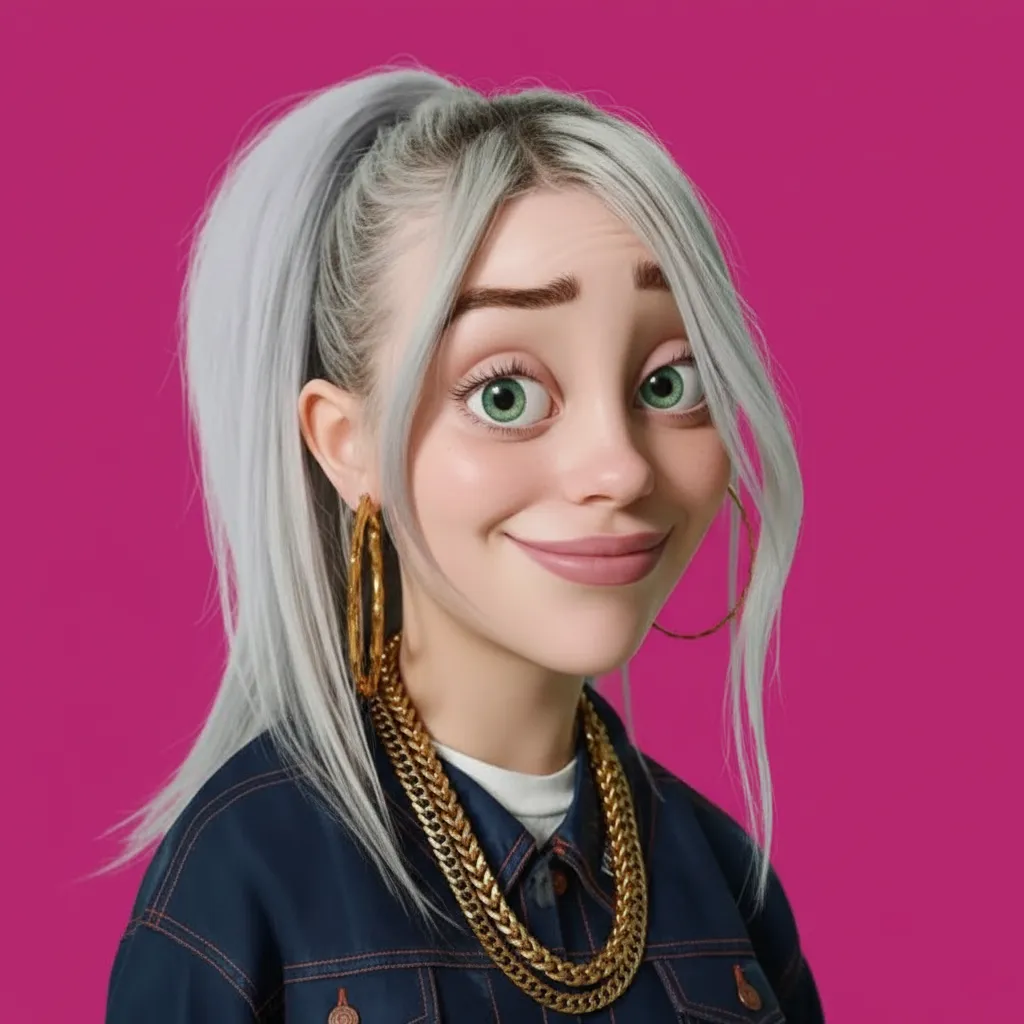
Best for: Animation projects, character design portfolios, 3D art showcases
Prompt 9 — Collectible Figure
Create a 1/7 scale commercialized figure of the character in the illustration,
in a realistic style and environment. Place the figure on a computer desk,
using a circular transparent acrylic base without any text. On the computer
screen, display the ZBrush modeling process of the figure. Next to the computer
screen, place a BANDAI-style toy packaging box printed with the original artwork.
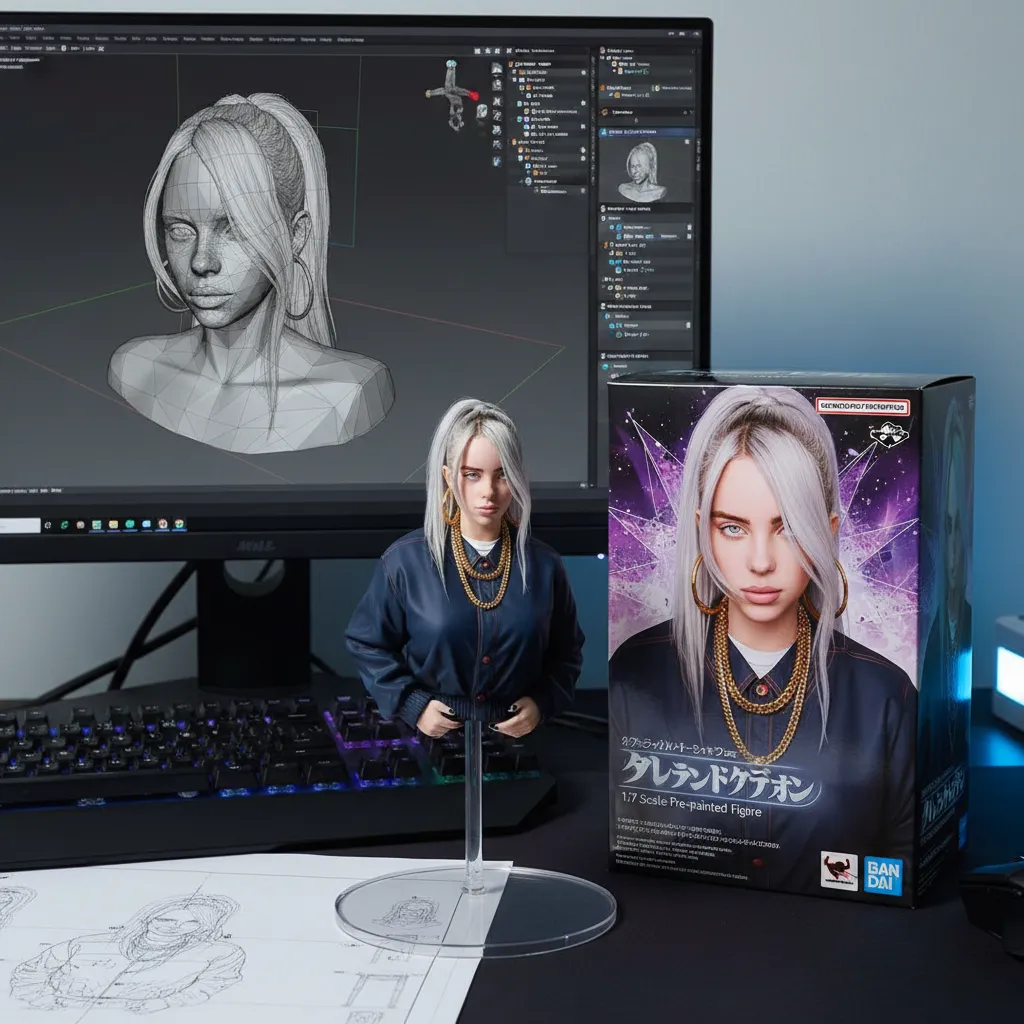
Best for: Product mockups, collectible designs, 3D printing references
Prompt 10 — Minimalist Line Art
Convert this image to line art.
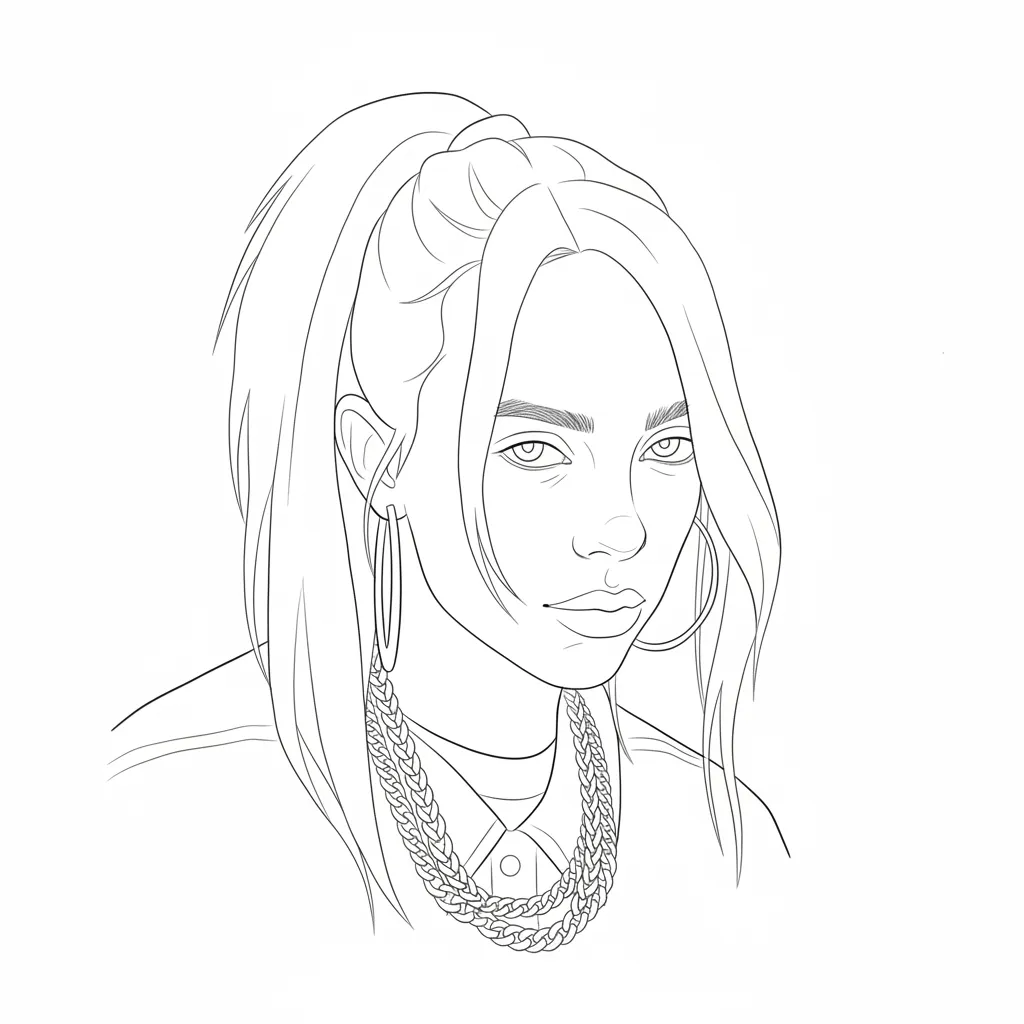
Best for: Logos, tattoo designs, minimalist art prints
Pro tip: Simple prompts often give clean results. Four words can create elegant line art.
Prompt 11 — Flat Vector Illustration
Transform the uploaded image into a full body flat vector illustration with
whimsical wavy cartoon style. Thin black outlines, smooth rounded shapes,
simplified facial features with dot eyes, exaggerated playful proportions,
bold flat colors only. No gradients, shading, or smudging. Choose a solid
background color that best complements and contrasts with the character's
colors. Vector style. Square format.
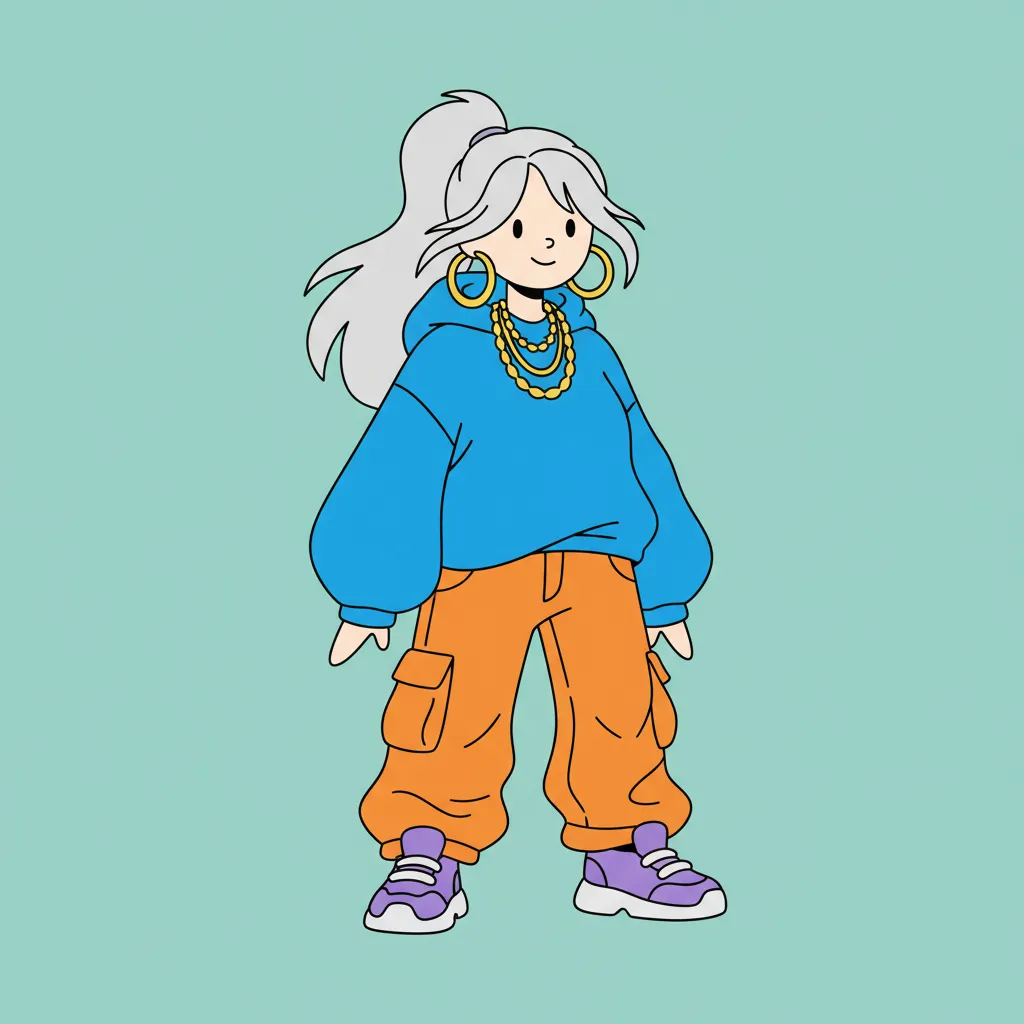
Best for: Web graphics, infographics, editorial illustrations
Age & Style Transformations
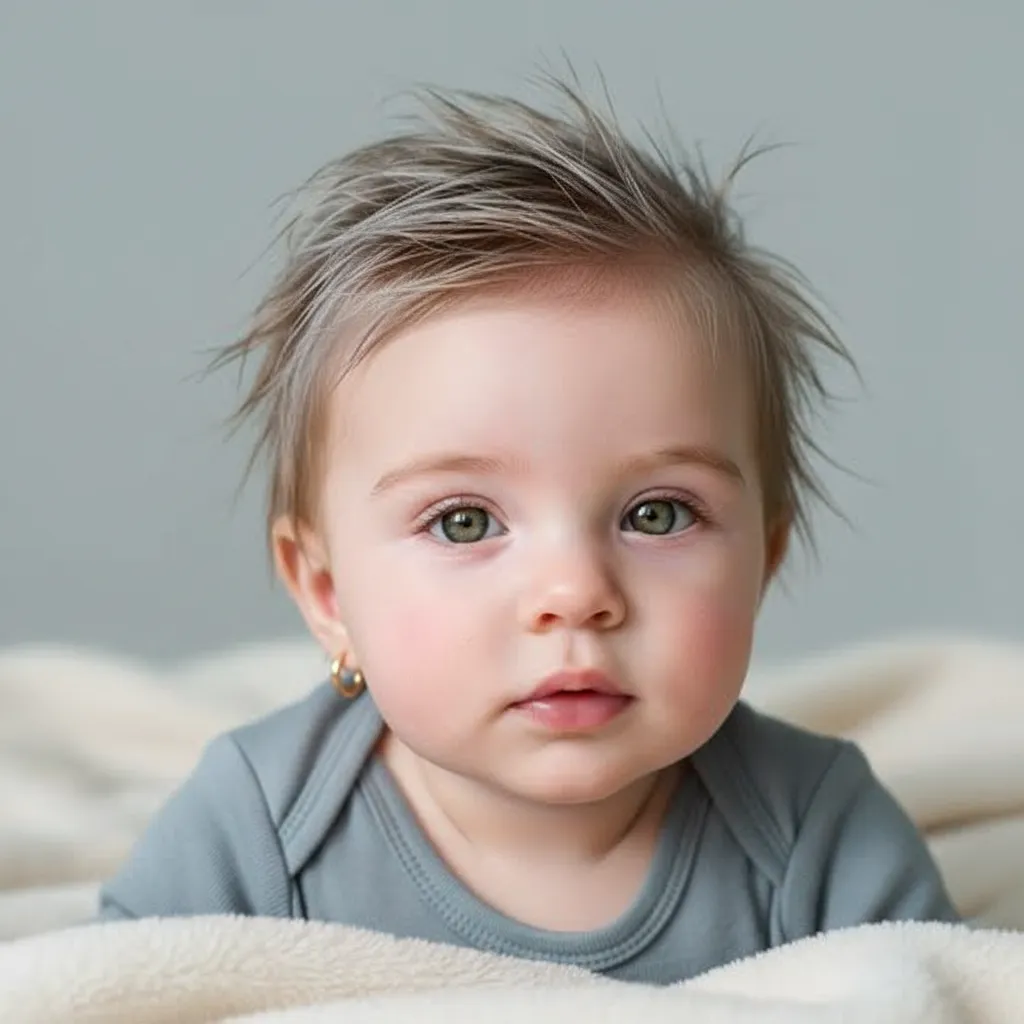
Prompt 12 — Parent-Child Blend
Create a baby image that combines features from both parents. Use professional photo quality.
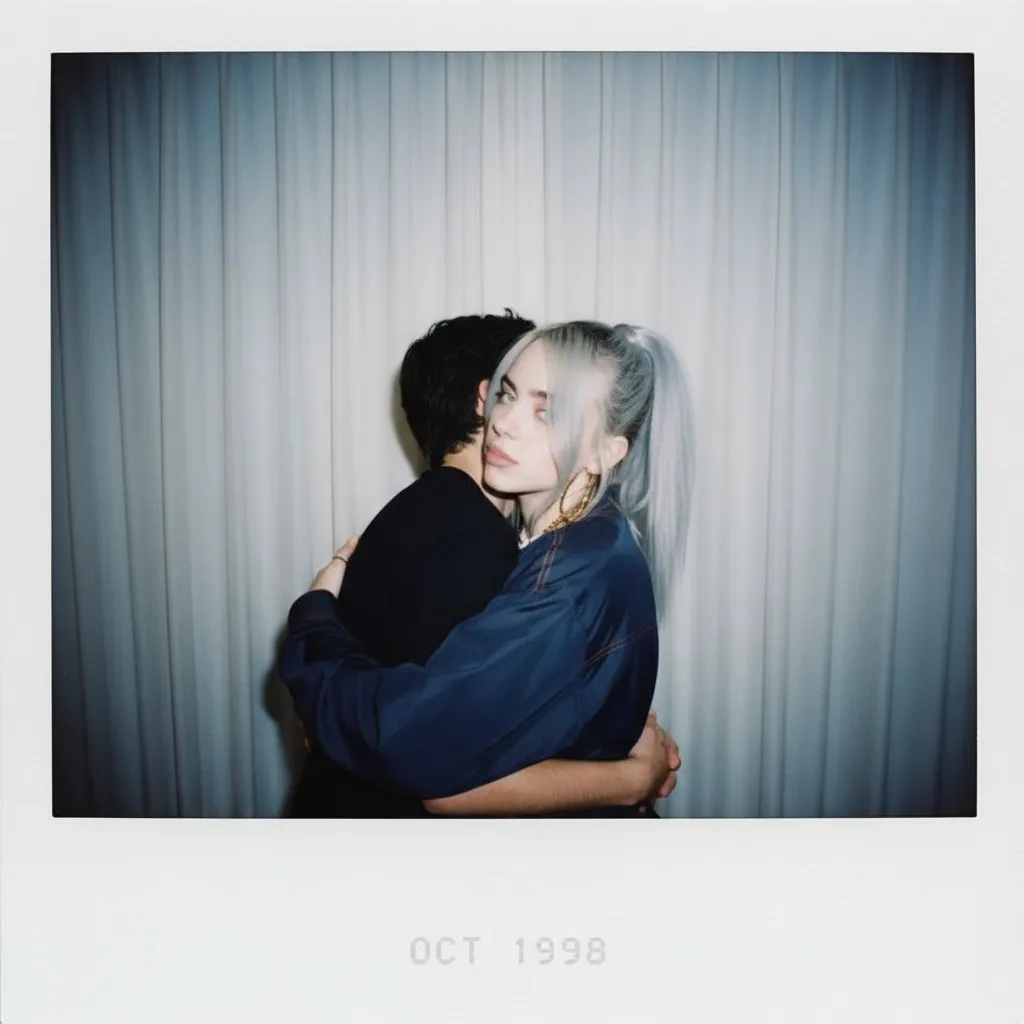
Prompt 13 — Nostalgic Self-Hug (Time Travel Portrait)
Make a Polaroid-style photo. It should look normal, without a clear subject or property. Add a slight blur and even lighting, like a flash in a dark room. Keep the face the same. Change the background to white curtains. Show both people hugging each other as in the reference picture.
Best for: Emotional stories, viral posts on social media
Style Filters & Effects
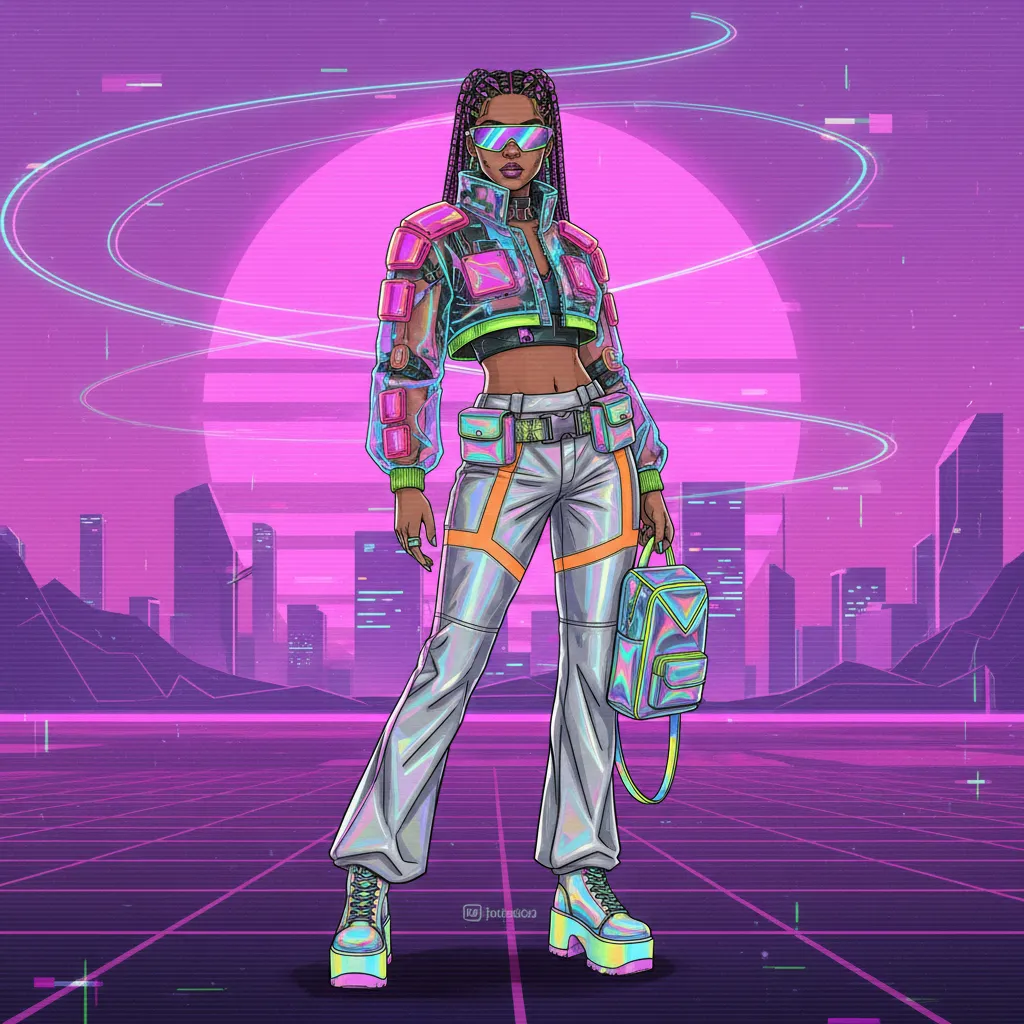
Prompt 14 — Y2K Retro Fashion
Digital fashion illustration in Y2K aesthetic, showcasing futuristic apparel
with neon colors.
Best for: Fashion content, retro-themed social media posts
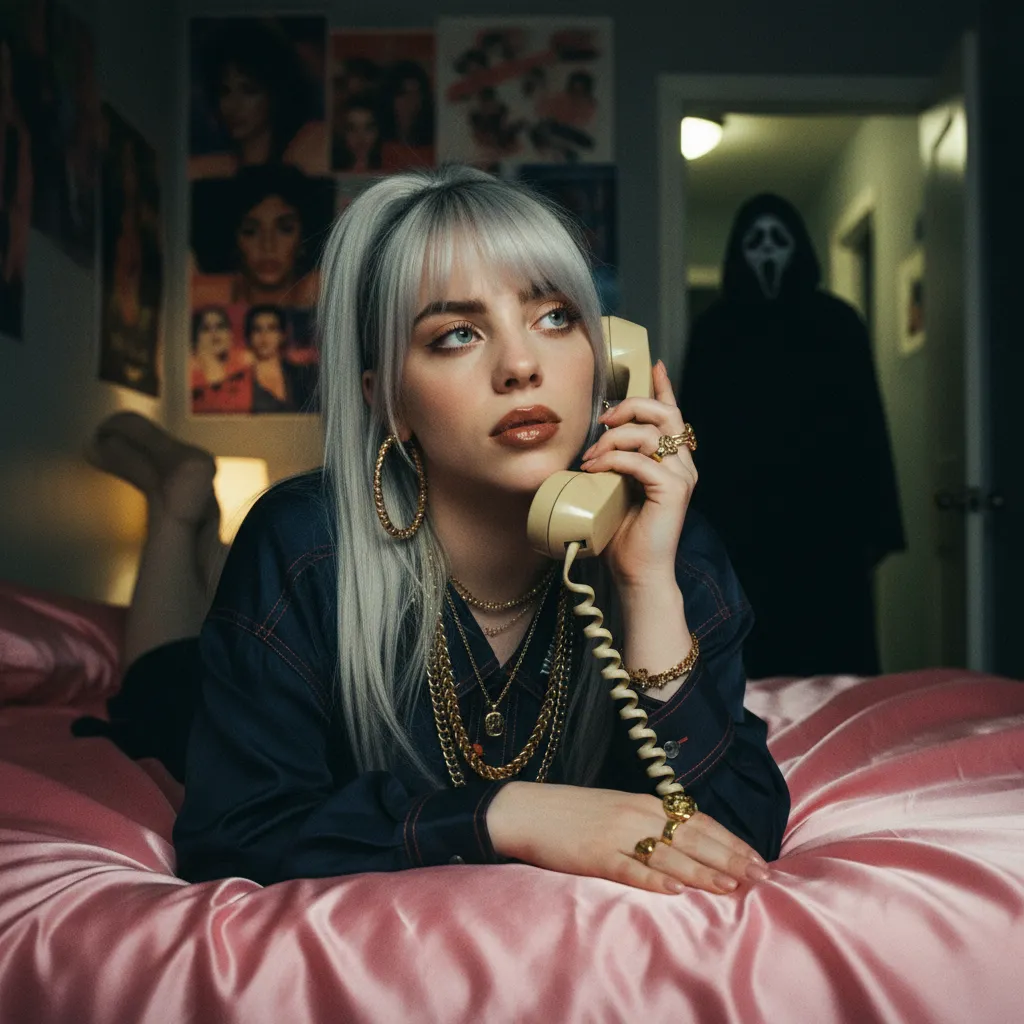
Prompt 15 — Y2K Horror Movie Poster
Transform the uploaded image into a dreamy Y2K style portrait while retaining
the subject's hairstyle and accessories. The subject should be depicted lying
on shiny pink satin bedding, holding a large 90s style corded phone in a
thoughtful daydreaming pose. She should wear delicate jewelry, including dainty
gold necklaces and accessories, as well as chunky gold rings. The background
should feature a girly, daydreamy atmosphere with 90s posters. Her makeup
should be simple yet glamorous, with brown lip gloss and brown lip liner. The
final image should have a grainy 90s aesthetic, illuminated by a light source
like a lamp in a dimly lit room at night. Additionally, a figure resembling the
Ghostface Killer should be positioned behind her, standing in the doorway of a
dimly lit hallway, with his body appearing slightly dim. The overall ambiance
should be slightly dark and ominous.
Best for: Nostalgic millennial and Gen-Z audiences, Halloween content
Professional Applications
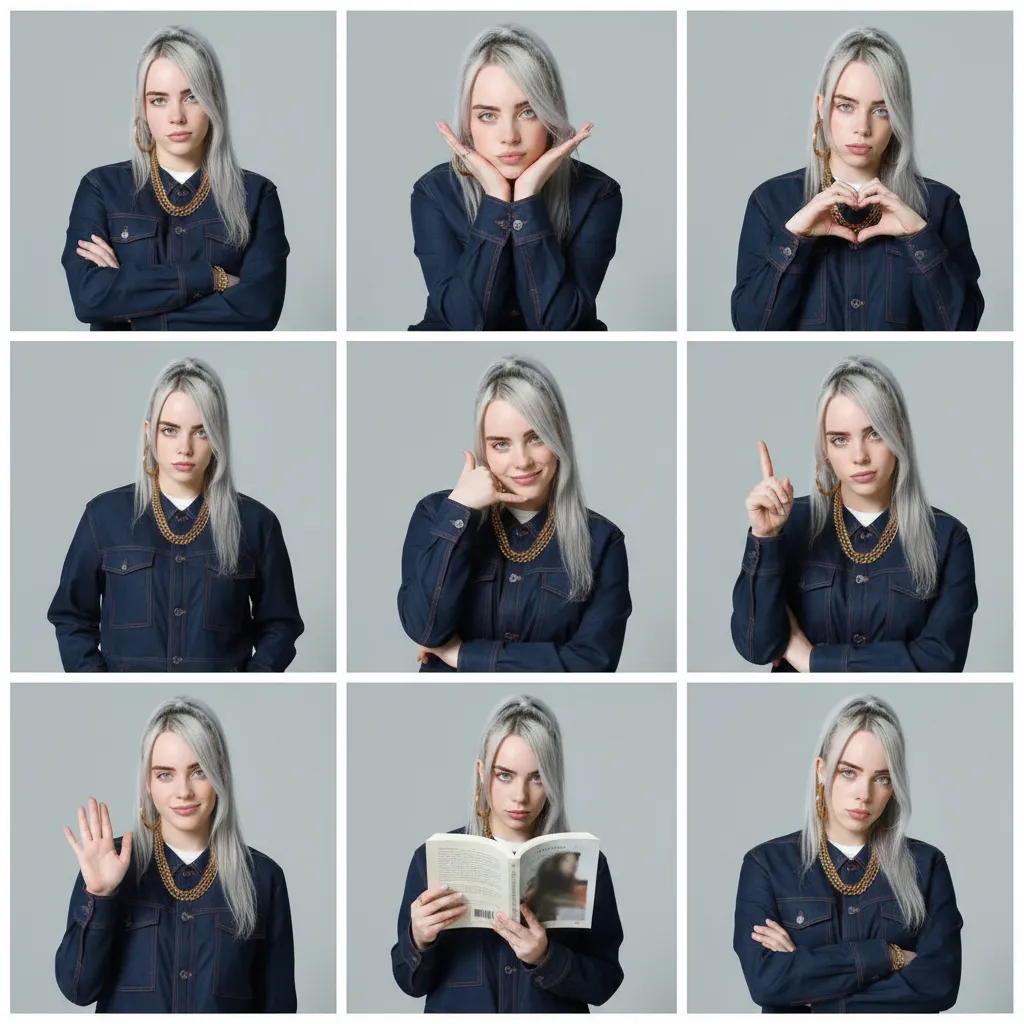
Prompt 16 — Photo Booth Grid
Using this photo, create a 3x3 photo booth grid, with each pose being
different. The poses should include: arms crossed, chin resting on hands,
making a heart sign, hands in pockets, pretending to make a phone call,
pointing to the sky, waving, holding a book, and crossing arms. No repetitions
are allowed.
Best for: Social media posts, fun profile pictures
Prompt 17 — Pixie Cut Hairstyle Transform
Transform to pixie cut hairstyle, ultra short hair, closely cropped sides and
back, slightly longer textured top, wispy bangs, tapered neckline, boyish yet
feminine style, face-framing cut, exposed ears, defined jawline, modern edgy
look, professional salon styling.
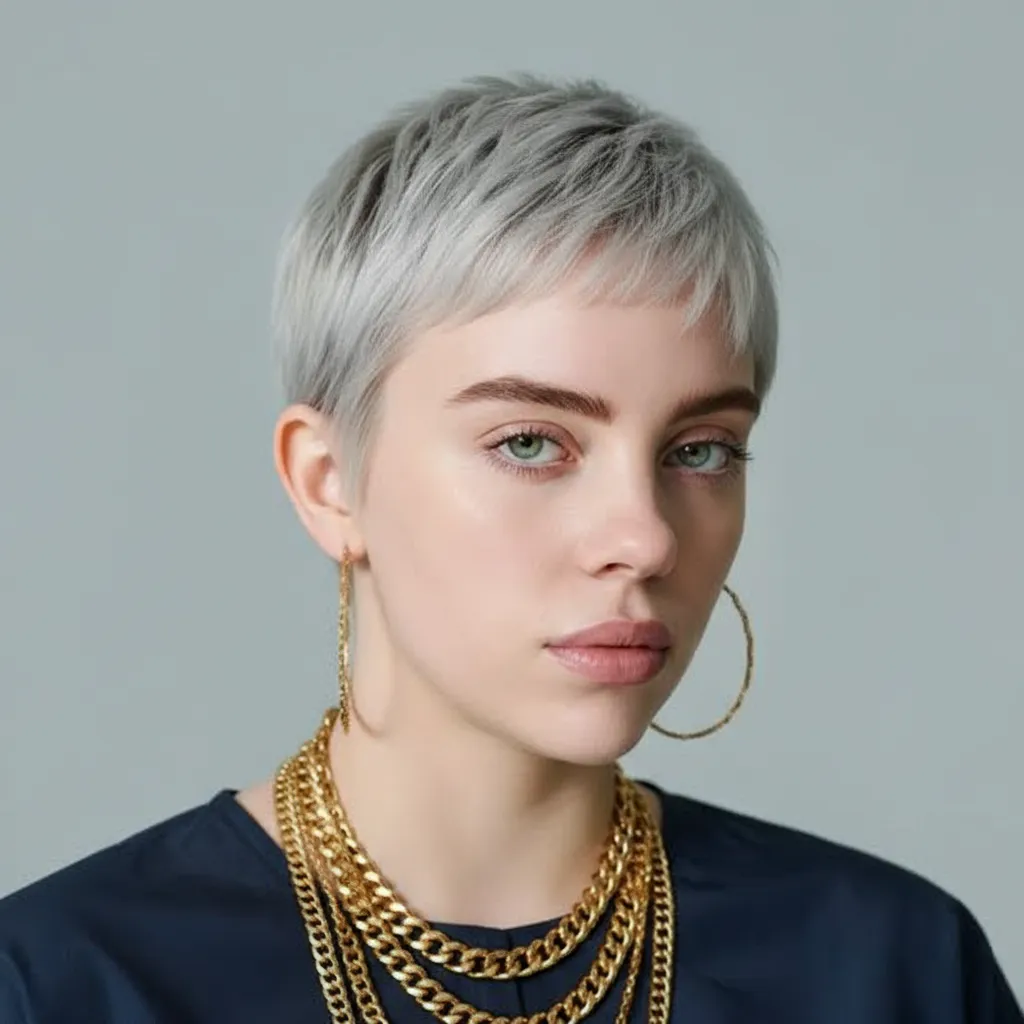
Best for: Hairstyle previews, salon ads
Restoration & Enhancement
Prompt 18 — Old Photo Revival
Restore old photo, colorize, upscale, enhance quality, remove damage.
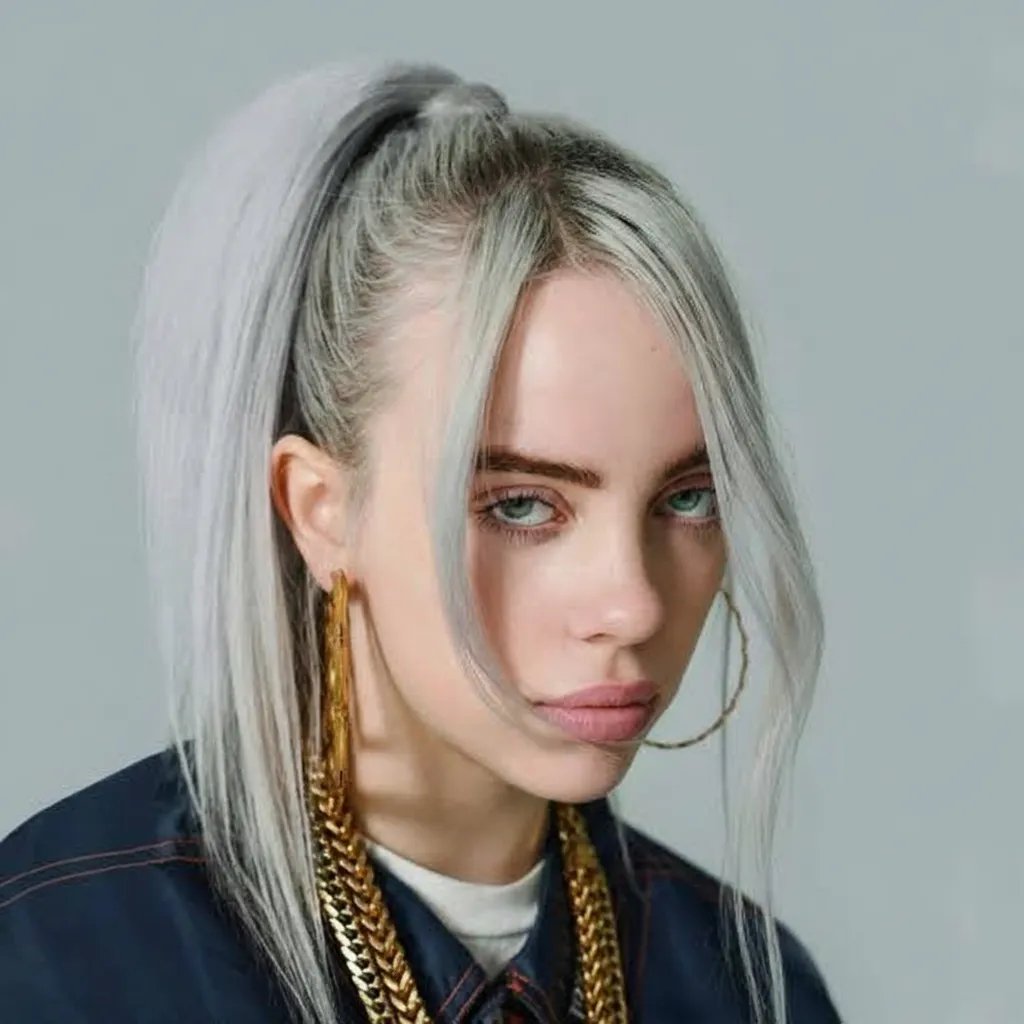
Best for: Fixing family photos, improving old historical pictures
Prompt 19 — Watermark Removal
Remove watermarks, clean image, maintain original content.
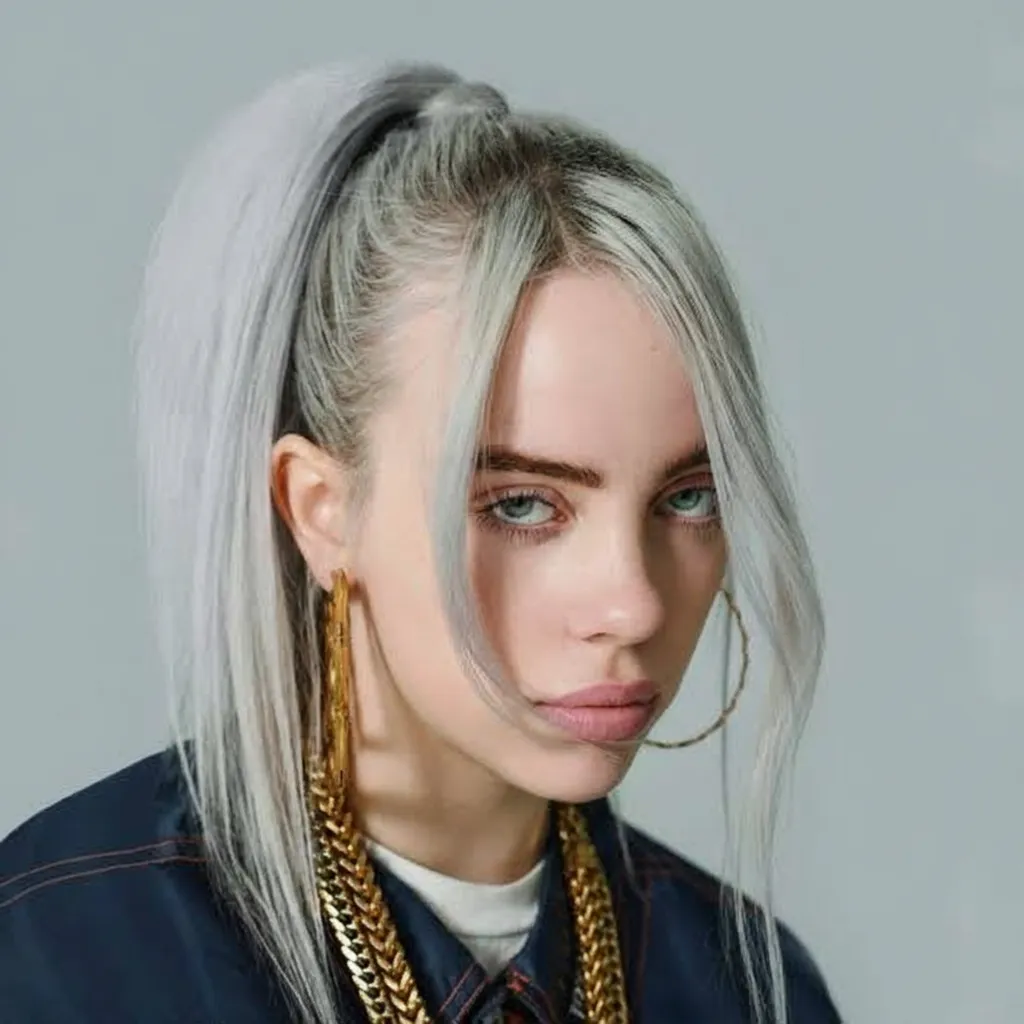
Best for: Cleaning images, getting them ready for use
Creative Art Styles
Prompt 20 — Kawaii Sticker Design
A kawaii-style sticker of the image. The design has bold outlines, simple shading, and bright colors. It uses a white background.
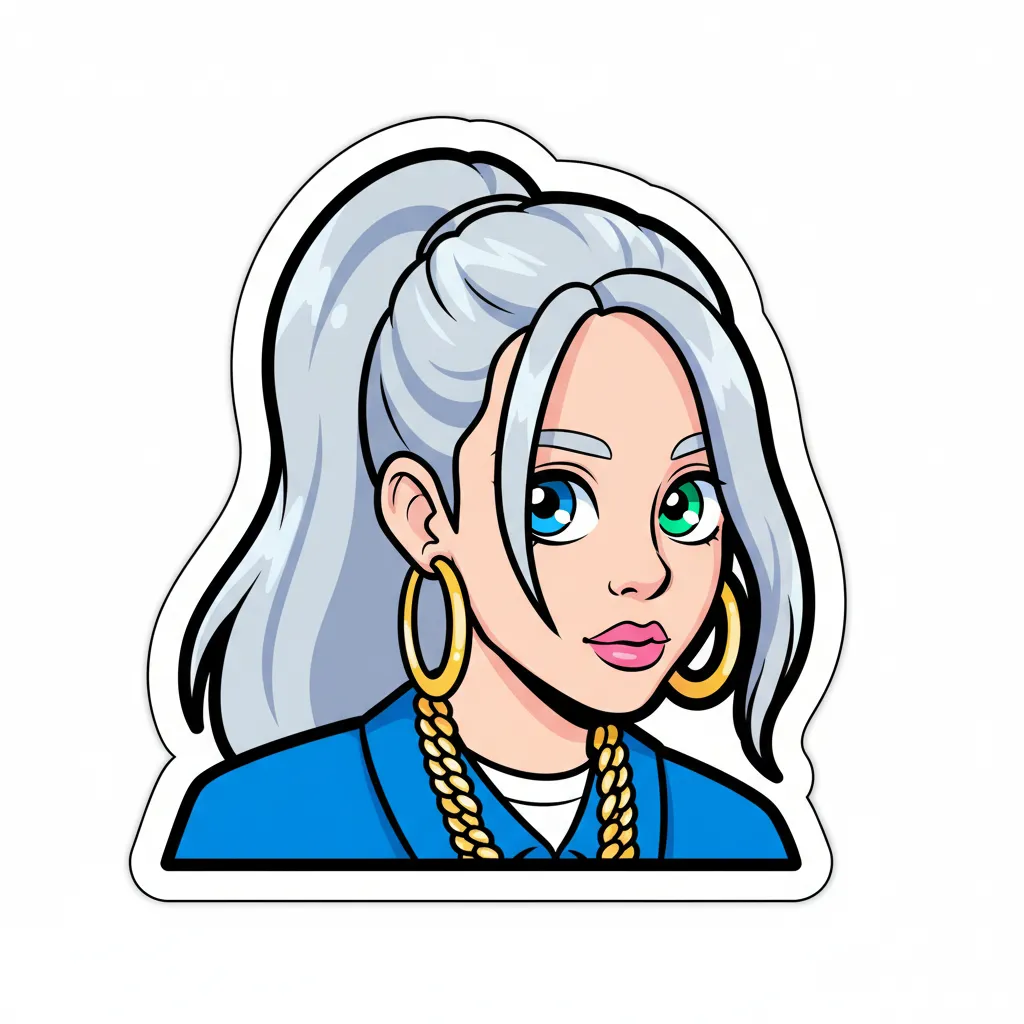
Best for: Sticker packs, merchandise, social media
Prompt 21 — Custom Emoji
Turn the image into a simple emoji design with a white background. Use clean, rounded shapes, bold outlines, and bright flat colors. Keep details minimal for easy recognition. The emoji should look cheerful, clear, and work well in small sizes.
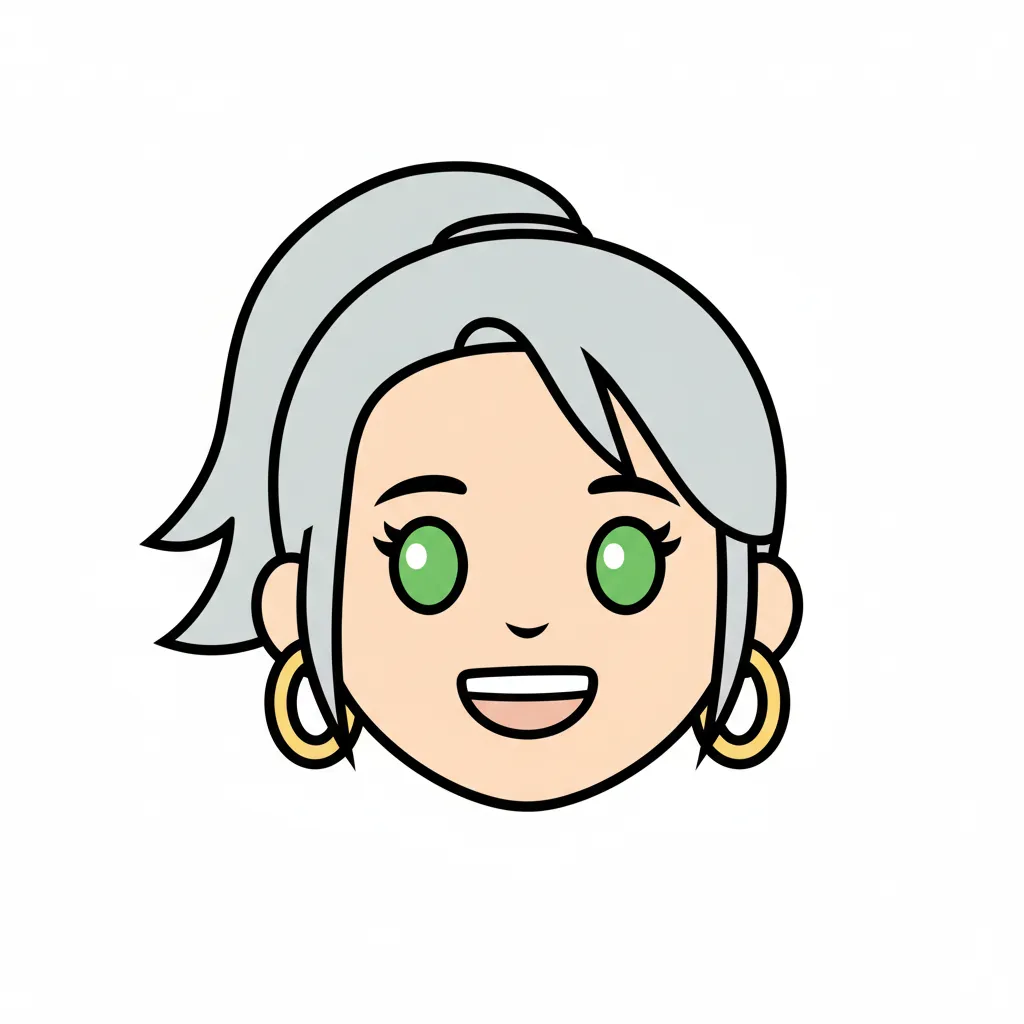
Best for: Custom emoji sets, chat stickers, branding
Prompt 22 — Kids Coloring Book Page
Change this image into a coloring book page.
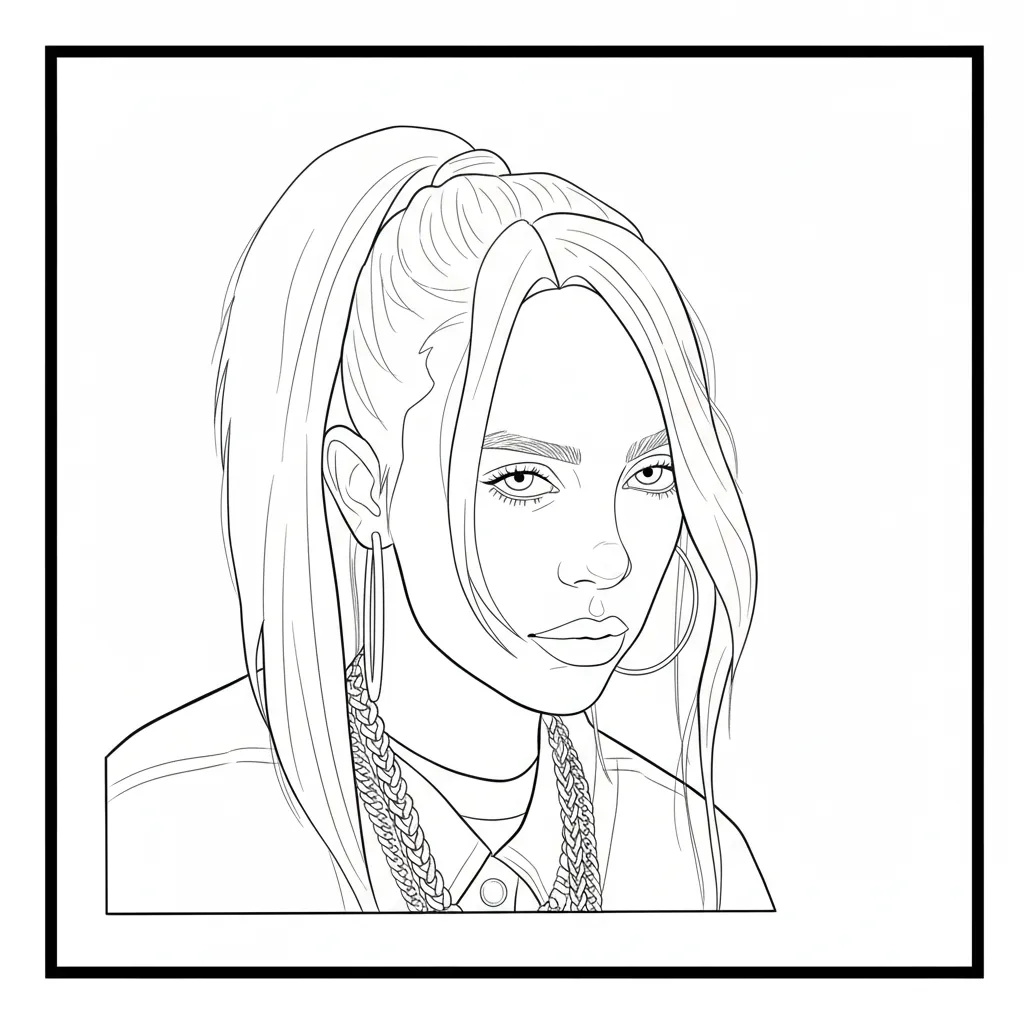
Best for: Children's content, educational materials, printable activities
Advanced Techniques
Prompt 23 — Image Outpainting (Expand Canvas)
Expand this photo to a full-body shot while keeping the same pose.
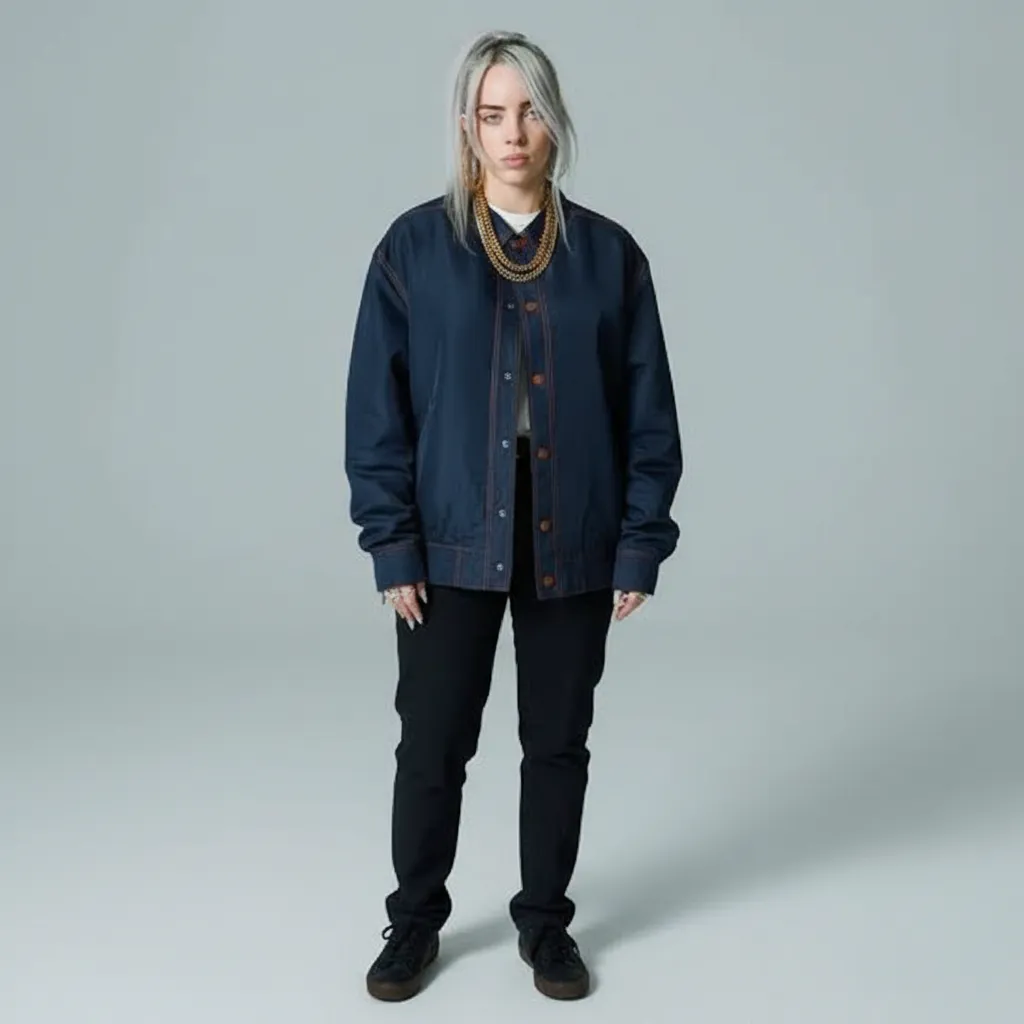
Best for: Making cropped photos larger, turning headshots into full-body images.
Prompt 24 — Selfie Mirror Flip
Please help me flip this photo to create a mirror version, just like how it
looks when taking a selfie with the front camera.
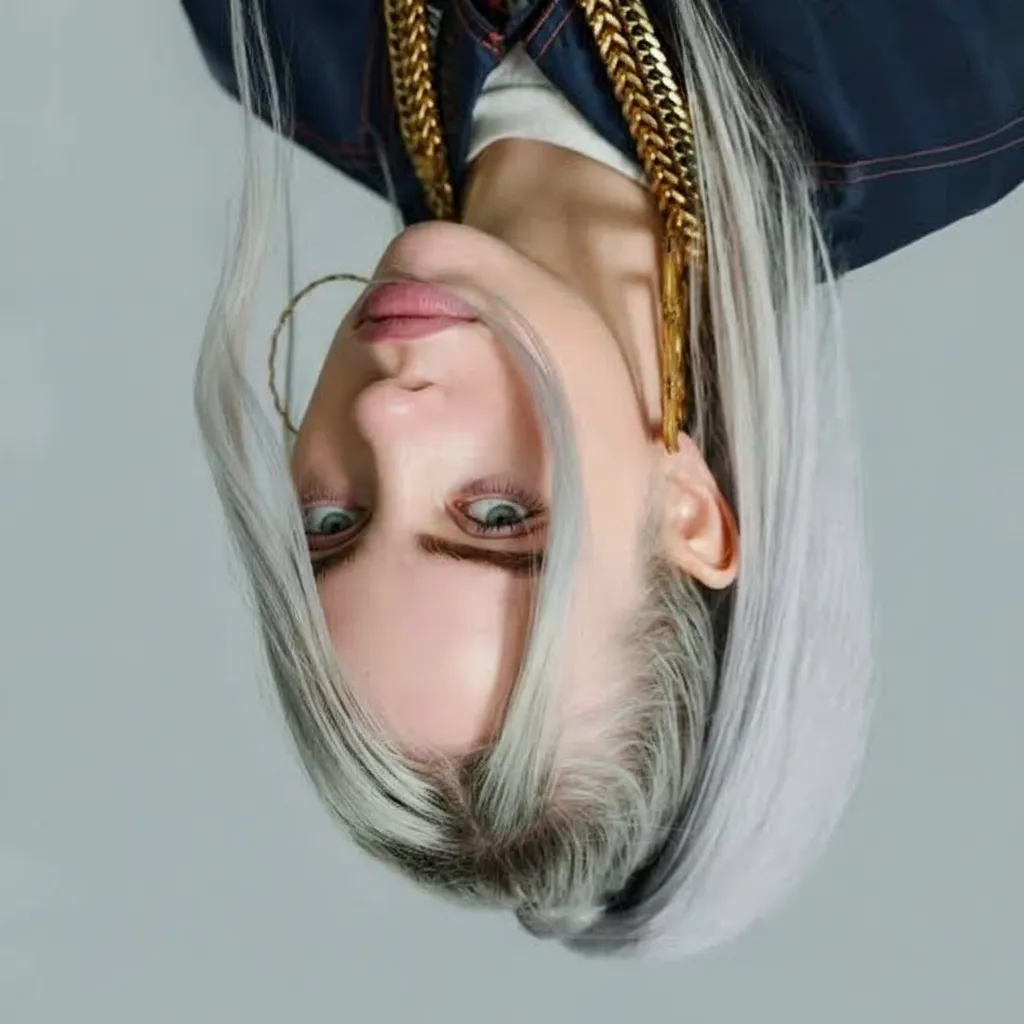
Best for: Fixing selfies, testing symmetry in photos.
Prompt 25 — Cute 3D Toy
Q-version modern style, 3D toy, original character rendering, clever and cute,
minimalist art style, with a cartoon aesthetic.
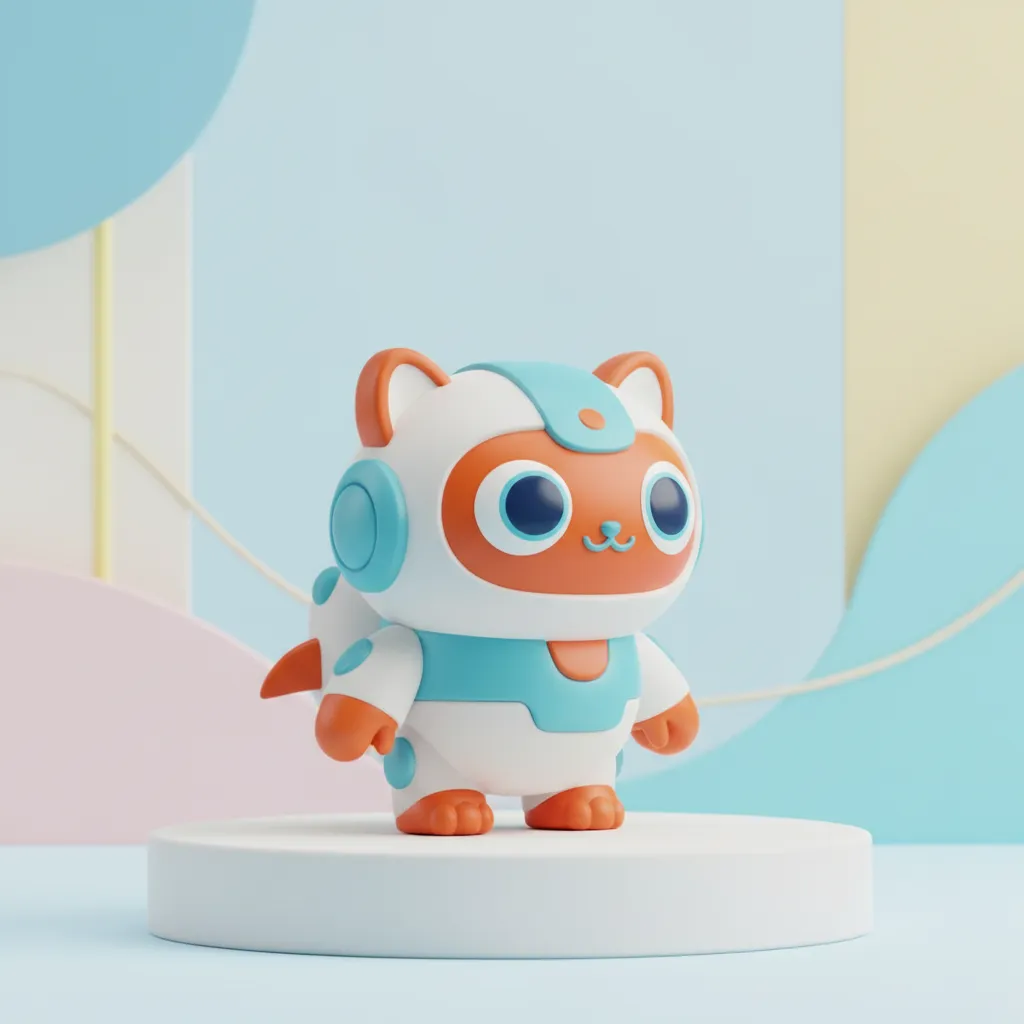
Best for: Designing toys, making collectibles, creating character merchandise.
Gaming & Virtual Worlds
Prompt 26 — Minecraft Voxel Art
Turn the photo into a 3-D voxel scene in Minecraft Pixel Art style. Keep the original layout, colors, pose, and main details. Build with small cubes under bright, neutral light. Each character's head is one solid cube with pixel eyes and mouth (no extra parts). Use detailed voxels for the body and surroundings. Make edges sharp, add soft shadows, keep it clean, and ensure 8K quality.
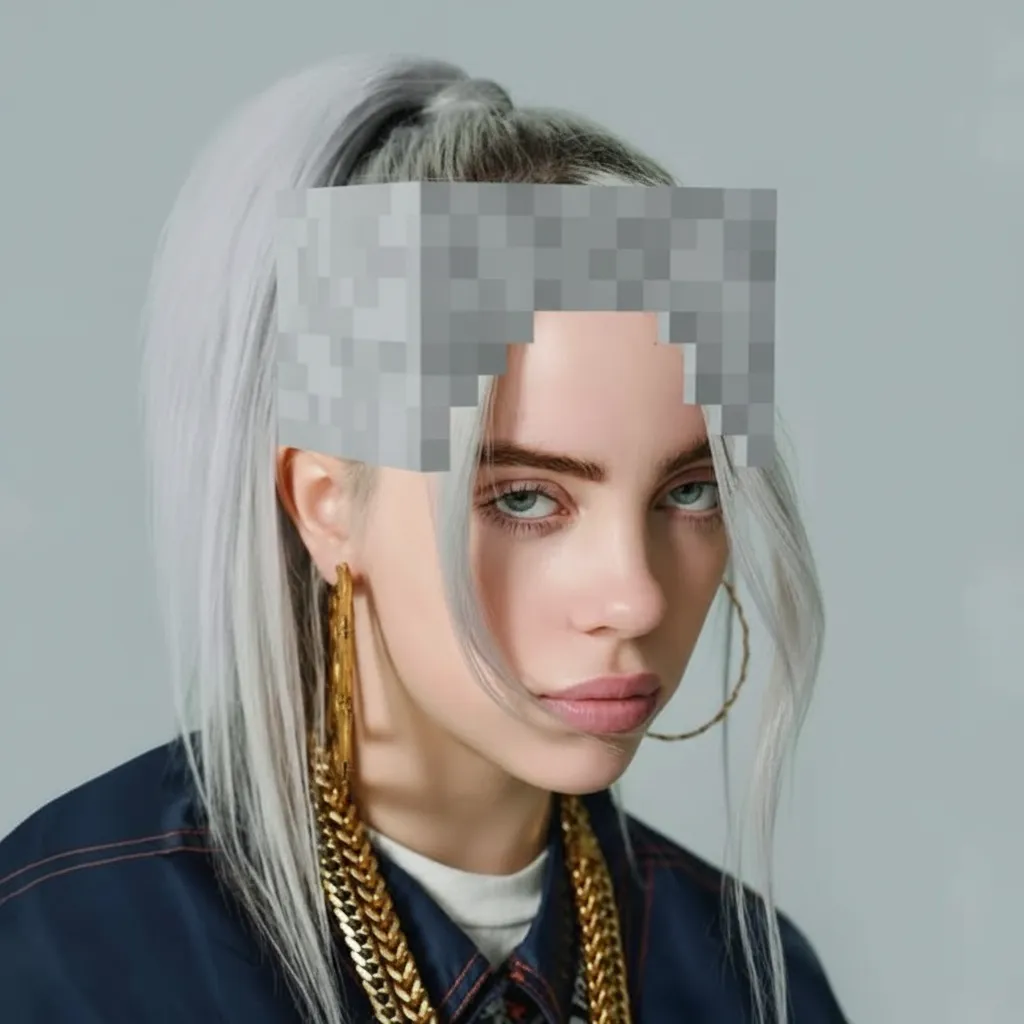
Best for: Minecraft builds, gaming images, voxel art ideas
Pro tip: Add a negative prompt like "no realism, no smooth shading, no rounded shapes" to keep the voxel look.
Special Effects & Scenarios
Prompt 27 — Add Character to Scene
Add a realistic homeless man to this image. He has long brown hair and a messy beard. He looks like he hasn't washed in months. He wears ripped tracksuit bottoms, boots, a checked shirt, and a brown jacket. He has just entered the bedroom, carrying a small plastic bag with random belongings.
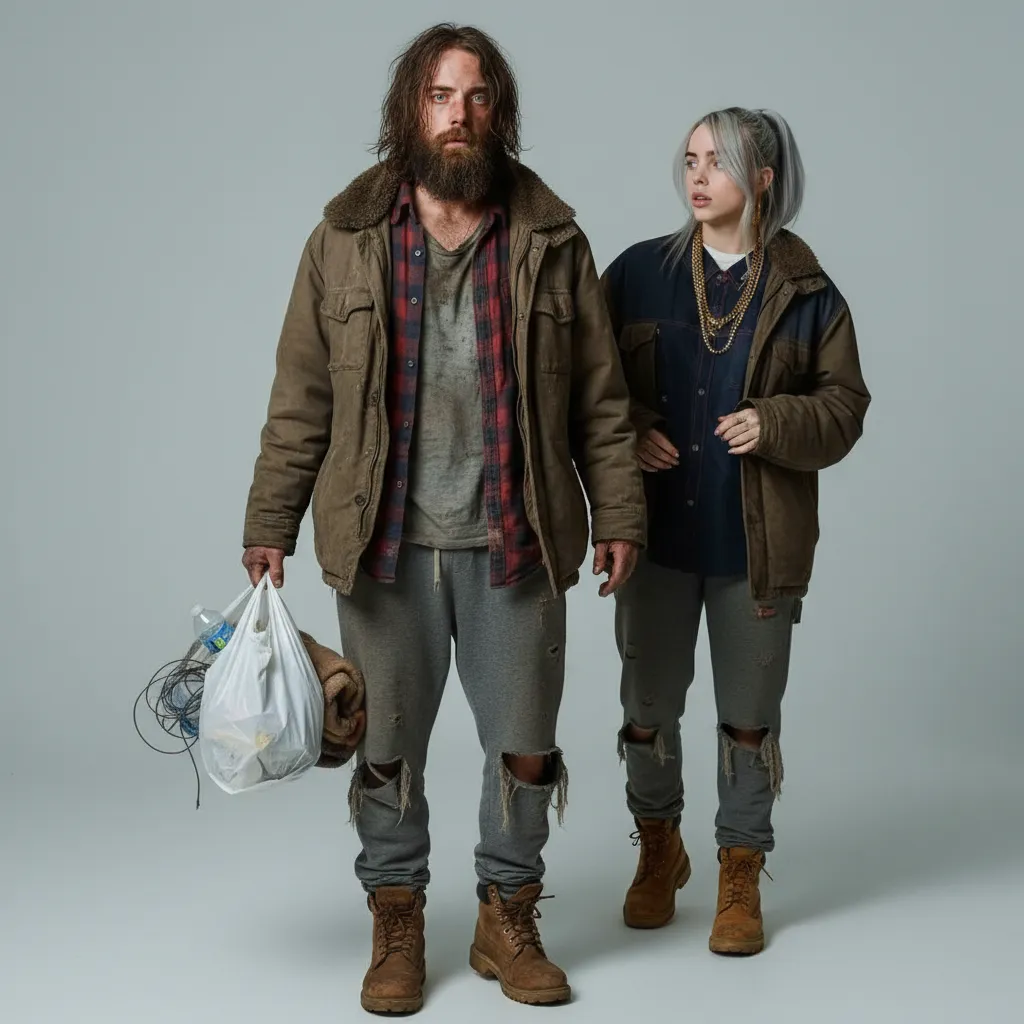
Best for: Creative storytelling, scene composition, cinematic effects
Prompt 28 — Knitted Doll Style
A close-up photo shows a hand-crocheted yarn doll held by two hands. The doll is round and features a cute chibi character. It has bright colors and rich details. The hands look natural and gentle, with visible fingers and realistic skin texture. Light and shadow add depth. The background is slightly blurred, showing an indoor space with a wooden table. Natural light streams in from a window, creating a cozy feel. The image highlights fine craftsmanship and warmth.
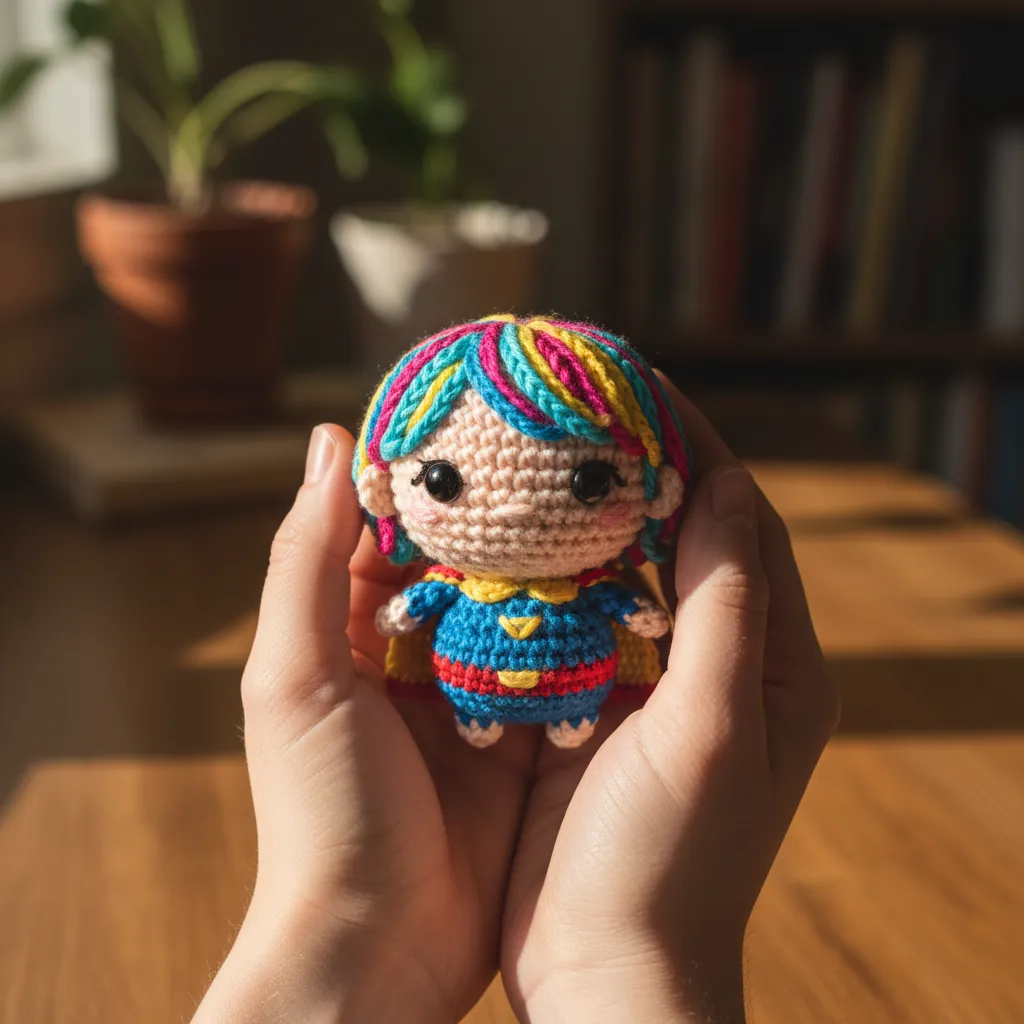
Best for: Craft projects, kawaii art, merchandise designs
Prompt 29 — Change Time of Day
Create an image of the same scene during sunset or golden hour. Keep the environment and layout the same. Change the lighting to warm sunset tones — golden orange sky, long shadows, and amber light on subjects. Show the sun low on the horizon. Make it photorealistic and seamless, matching the original scene but in sunset lighting.
Best for: Architectural visualization, real estate, photography enhancement
Prompt 30 — Extract Clothing for E-commerce
Remove the model's body and show only the clothing as a clean product photo. Keep the outfit in its natural 3D shape with realistic folds, seams, and textures. Display it as if on a mannequin or neatly laid flat. Use a pure white or transparent background. Ensure high resolution and professional lighting, perfect for online catalogs.
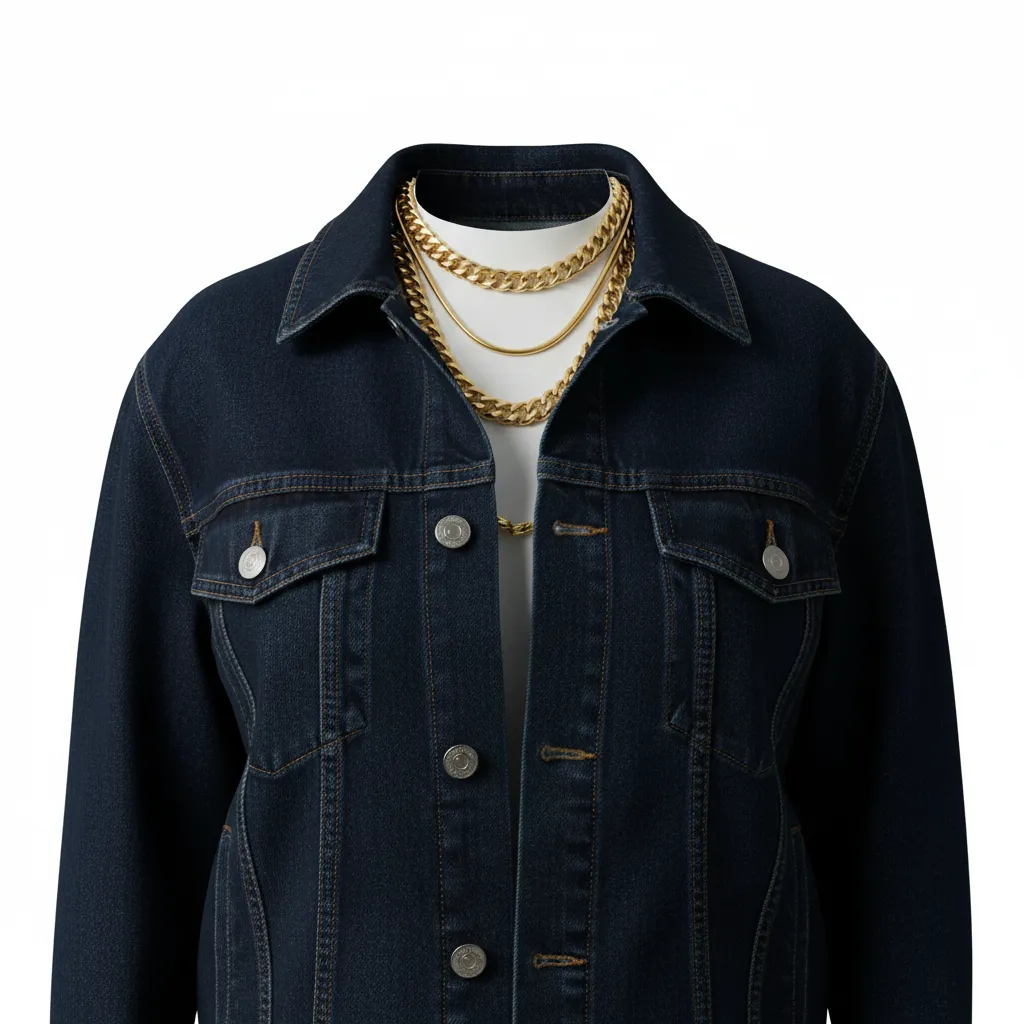
Best for: E-commerce, fashion catalogs, product photography
Advanced Portrait Techniques
Prompt 31 — Professional Corporate Headshot
Create a half-length corporate portrait in a professional studio: person in a
suit, pure white backdrop, minimal shadows, clean and polished look.
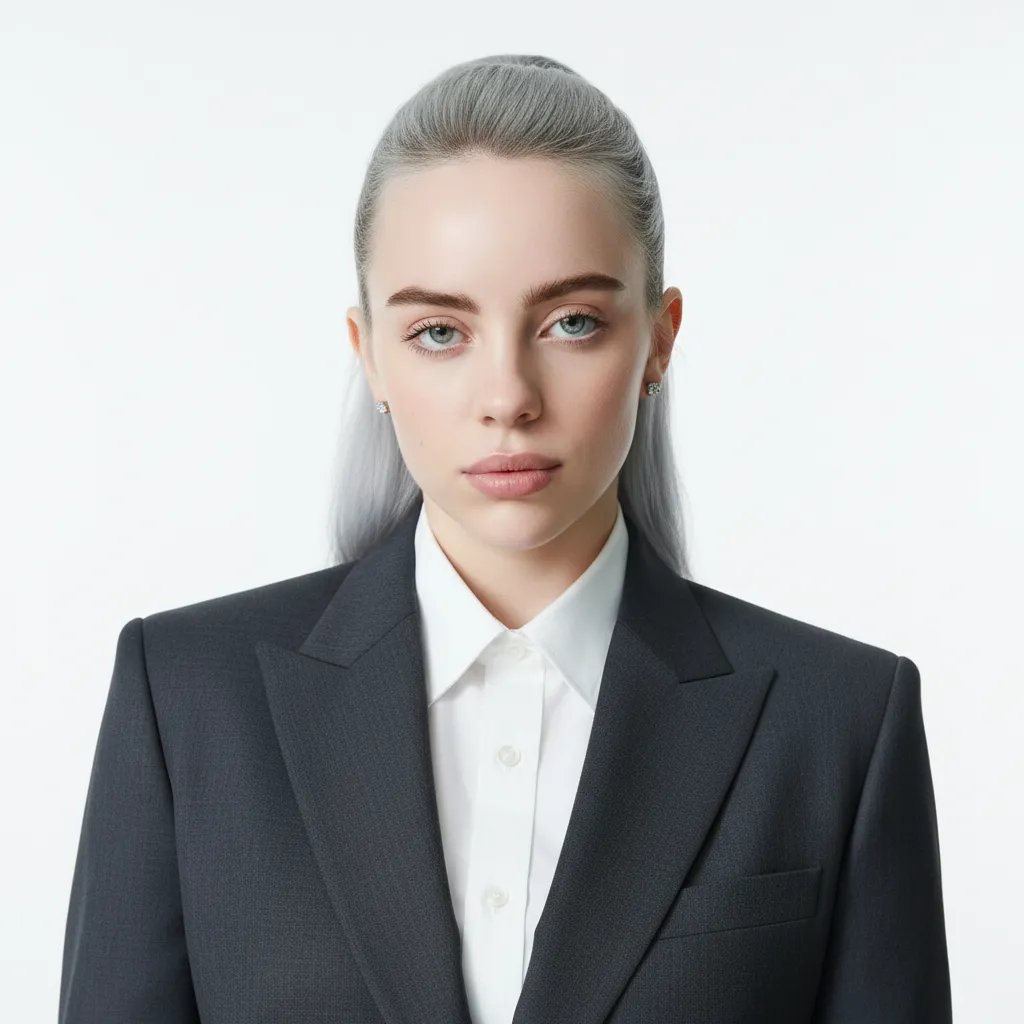
Best for: Business profiles, corporate websites, executive cards
Prompt 32 — E-Sports Photography Style
Please dress the person in the picture in a simple black T-shirt, similar to
an esports jersey. Use strong contrast lighting to create a dark atmosphere,
like in esports photography, where the focus is primarily on black. The
background should be a solid black, fitting the esports style. The person
should be centered in the frame, looking directly at the camera with their
arms crossed over their chest, positioned straight and facing forward.
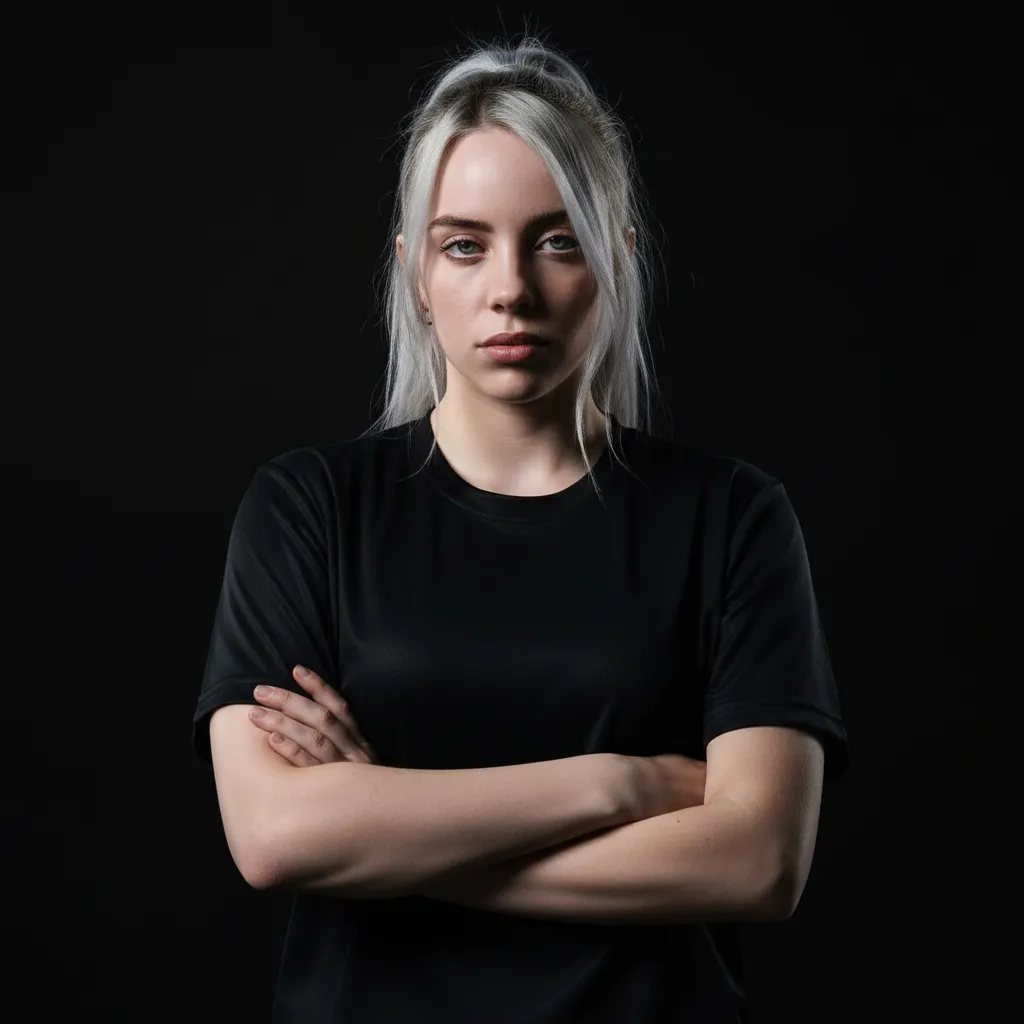
Best for: Esports profiles, gaming teams, streaming platforms
Prompt 33 — Vintage 1960s Style
Keep this person's likeness identical. Restyle into a 1960s beehive hairstyle
and tailored suit, warm studio backdrop.
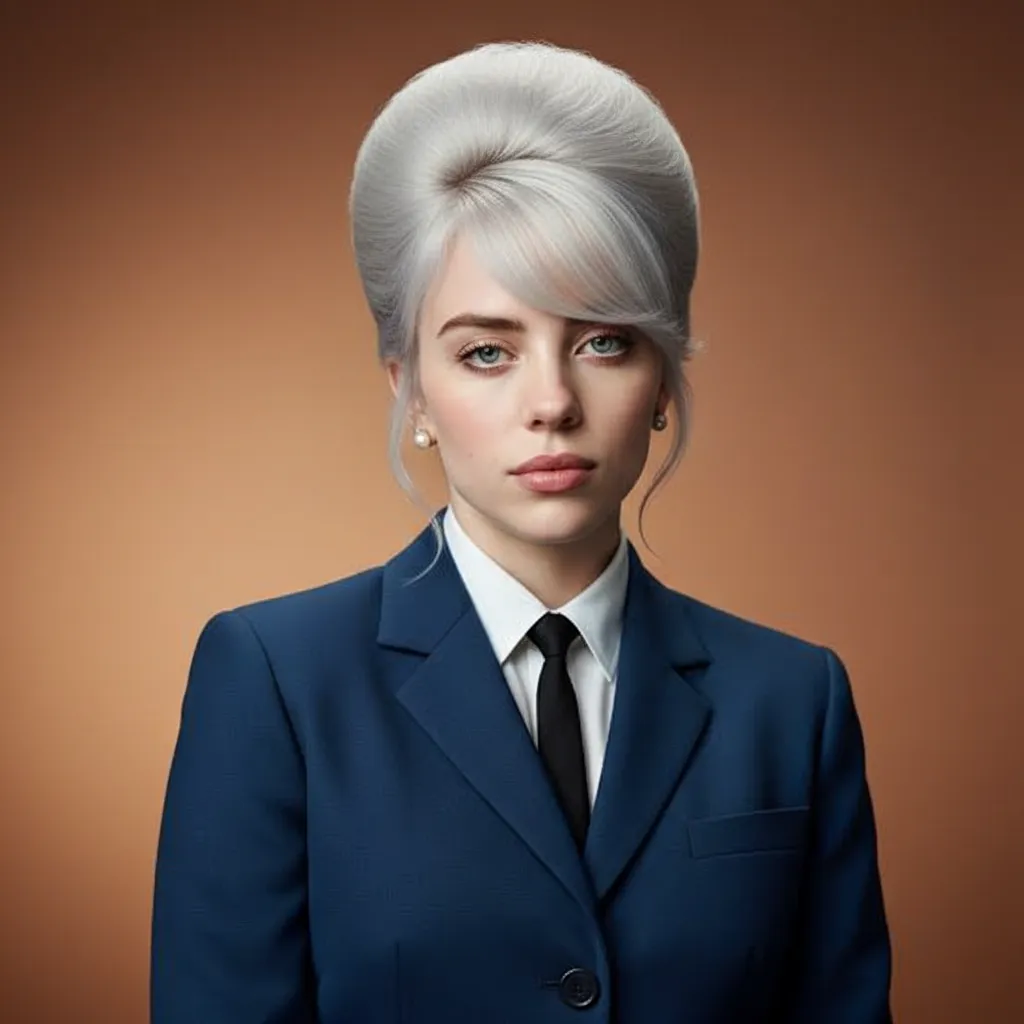
Best for: Retro themes, vintage photos, period styling
Product & Commercial Design
Prompt 34 — Product Poster Design
Create a poster to promote a lipstick. Show a woman holding the lipstick. She looks directly at the camera.
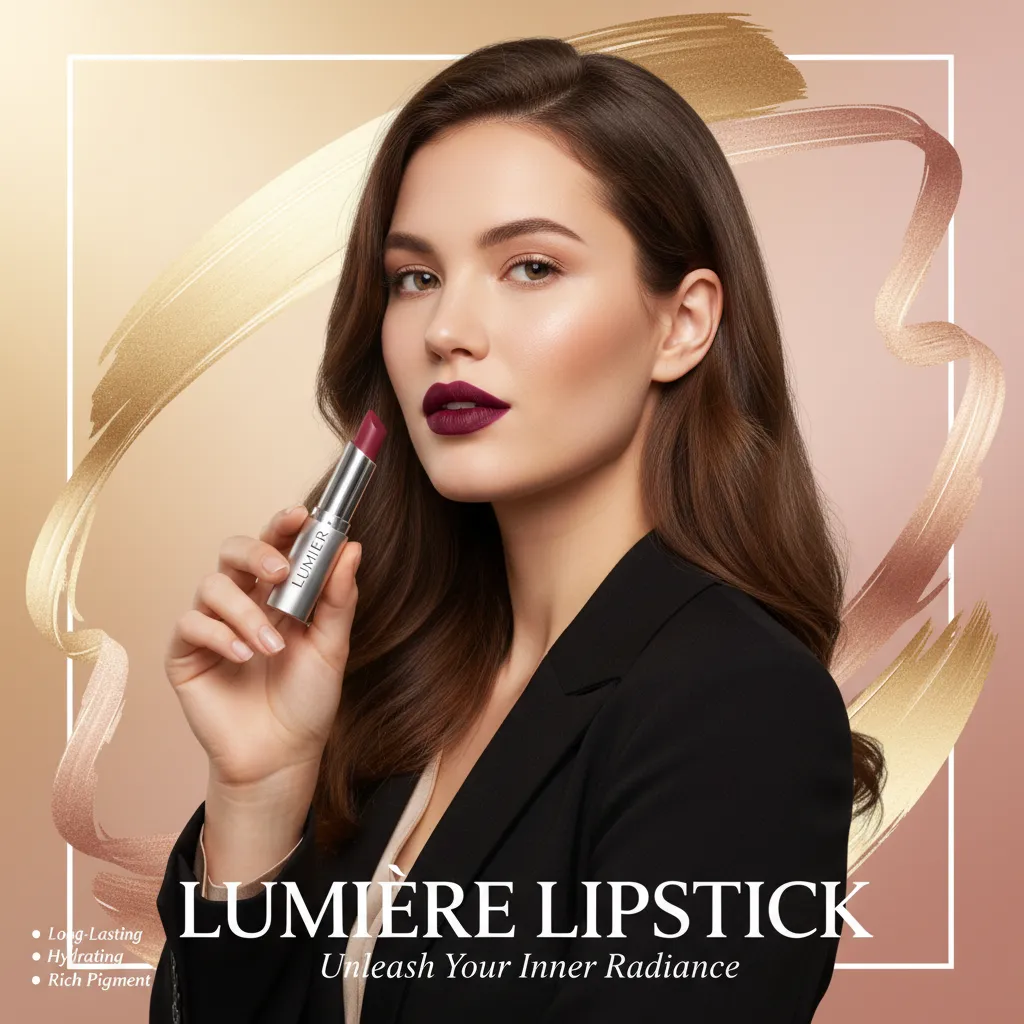
Best for: Ads, product launches, marketing materials
Prompt 35 — Technical Product Diagram
Show an exploded view of a product. Metallic parts and electronic pieces float in the air. They are perfectly aligned to show the inner structure. Use a futuristic look, 8K resolution, soft lighting, and realistic details.
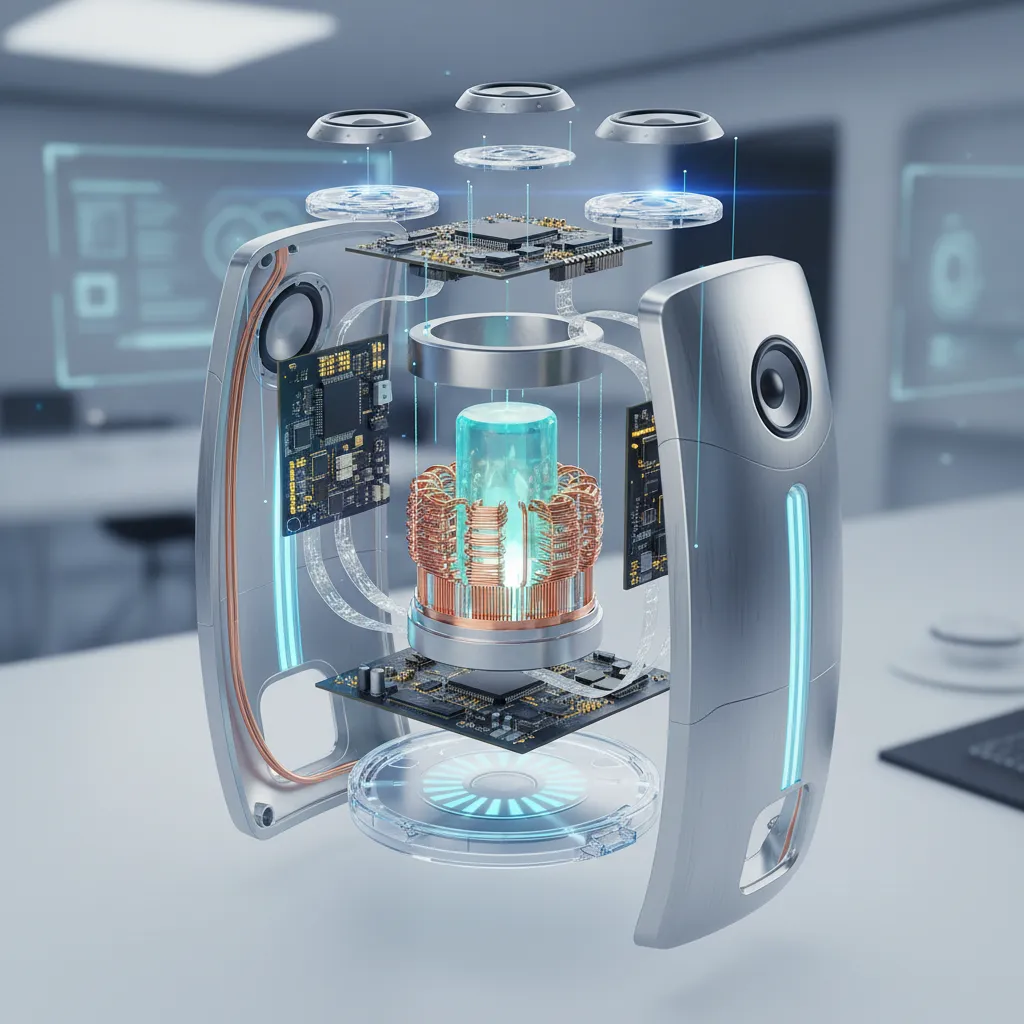
Best for: Manuals, product ads, industrial design
Prompt 36 — Design to Reality
Turn this perfume drawing into a photorealistic image. Frosted glass bottle with a marble cap. The cap has natural patterns. Use studio lighting for a luxury look.
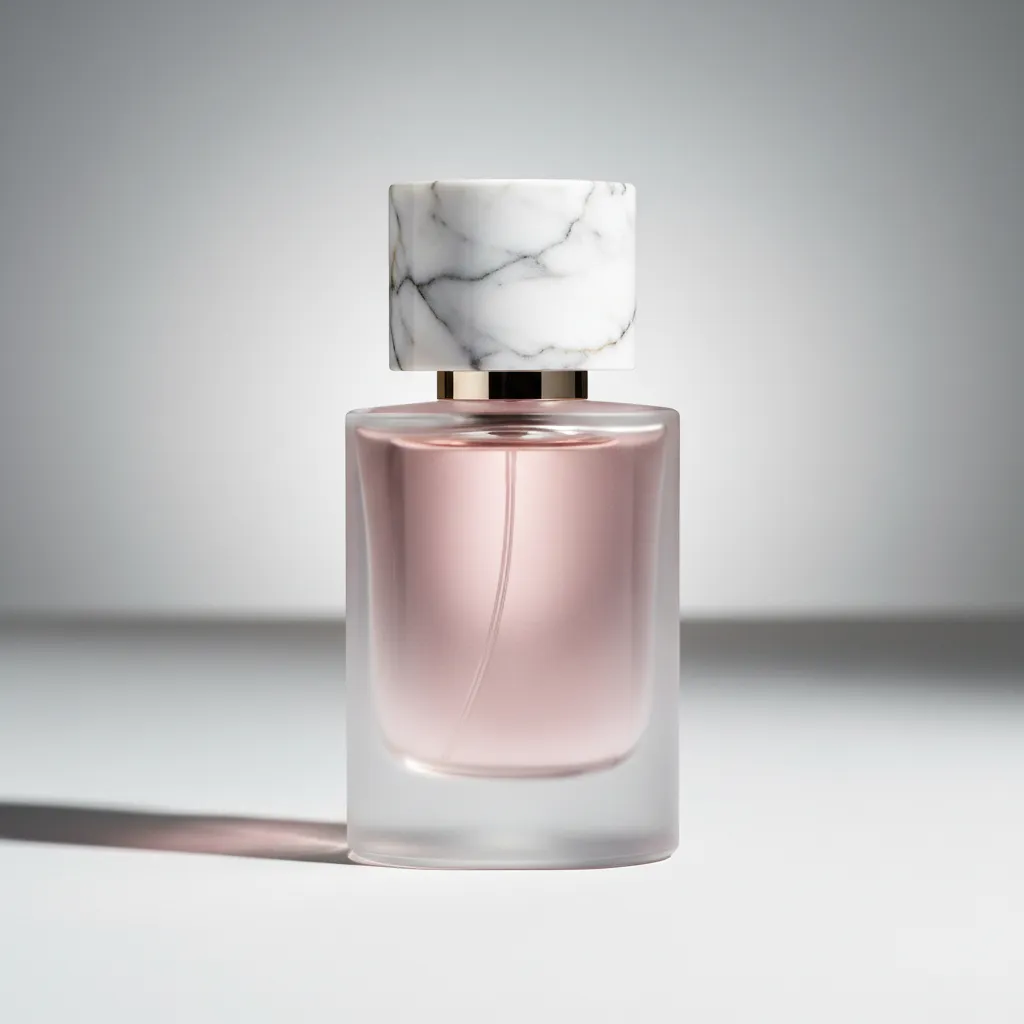
Best for: Product visuals, concept to reality, luxury branding
Creative & Storytelling
Prompt 37 — Cosplay Transformation
Have the character in Image 1 dress up as the character in Image 2. Make sure the costume, makeup, and props match those in Image 2.
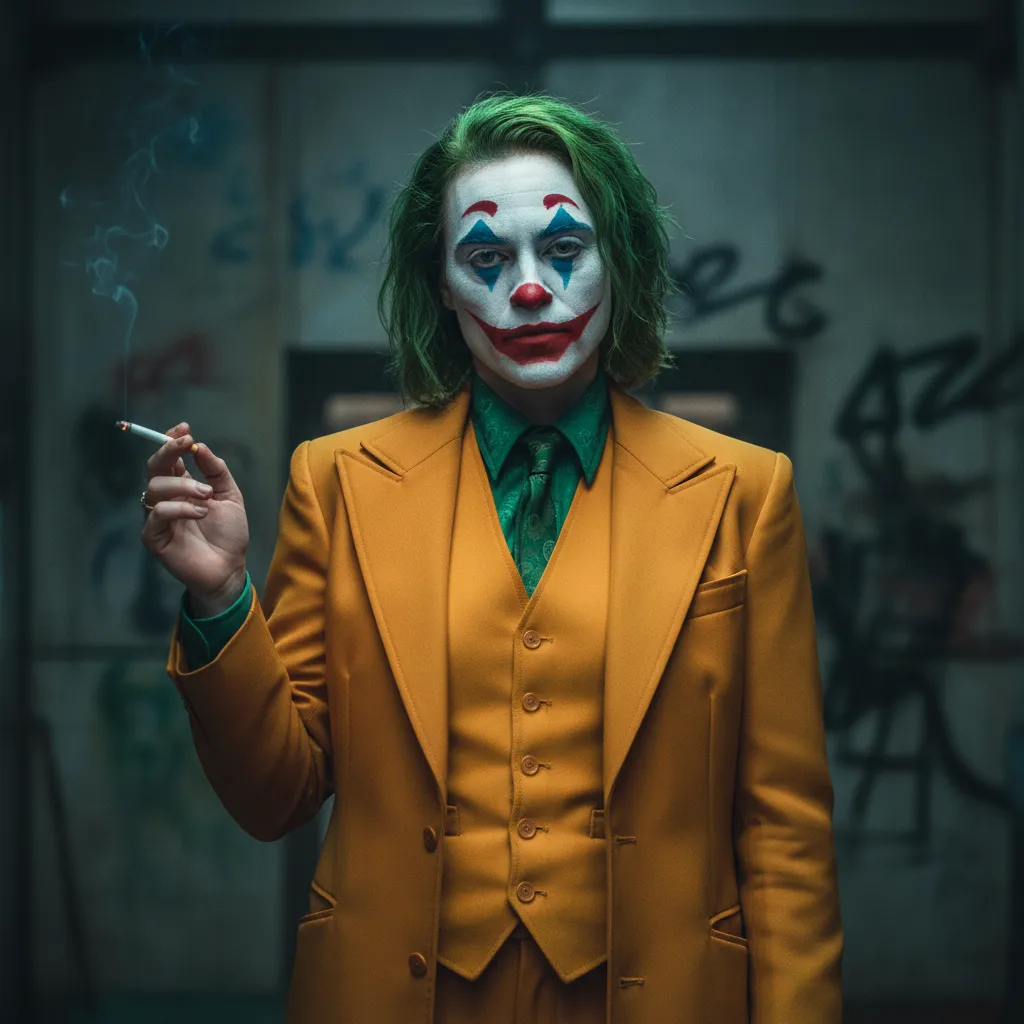
Best for: Planning cosplay, designing characters, previewing costumes
Prompt 38 — Comic Storyboard
Make a nine-panel comic using the image content. Use visuals and angles to tell a story.
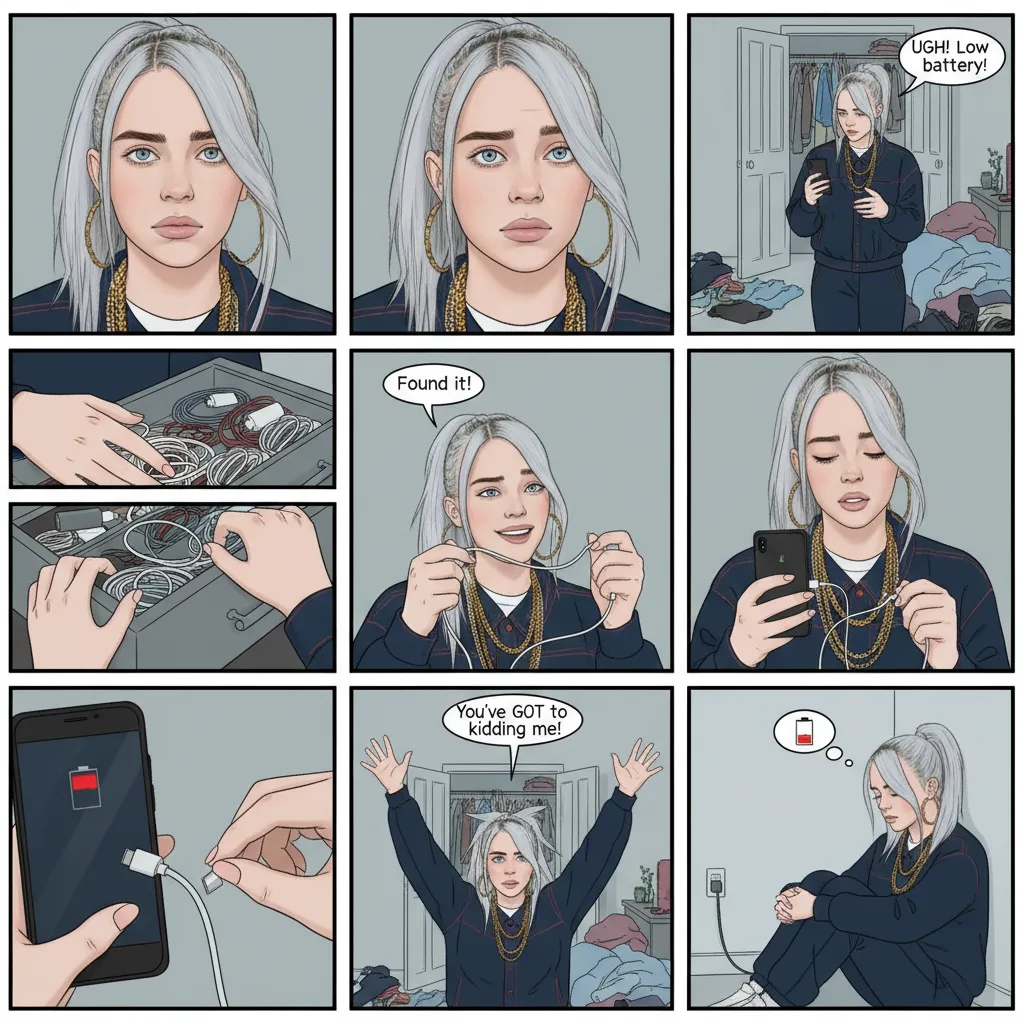
Best for: Making comics, planning stories, creating narrative art
Prompt 39 — Three-View Character Sheet
Design a model sheet for a character. Show the front, side, and back poses.
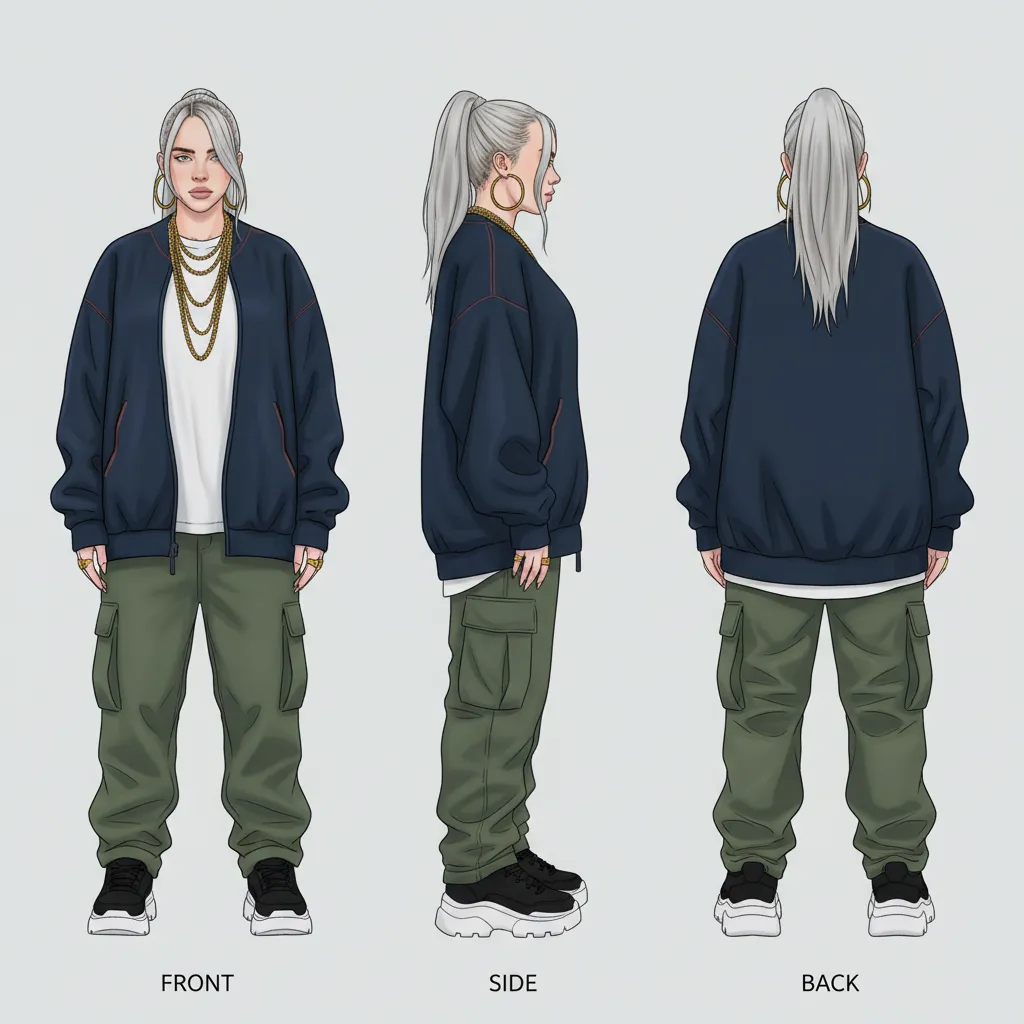
Best for: Designing characters, animation guides, 3D modeling
Architectural & Environmental
Prompt 40 — Cute 3D Building
Turn this building photo into a cute, rounded isometric 3D tile. Use a 1:1 ratio. Keep the building's key features.
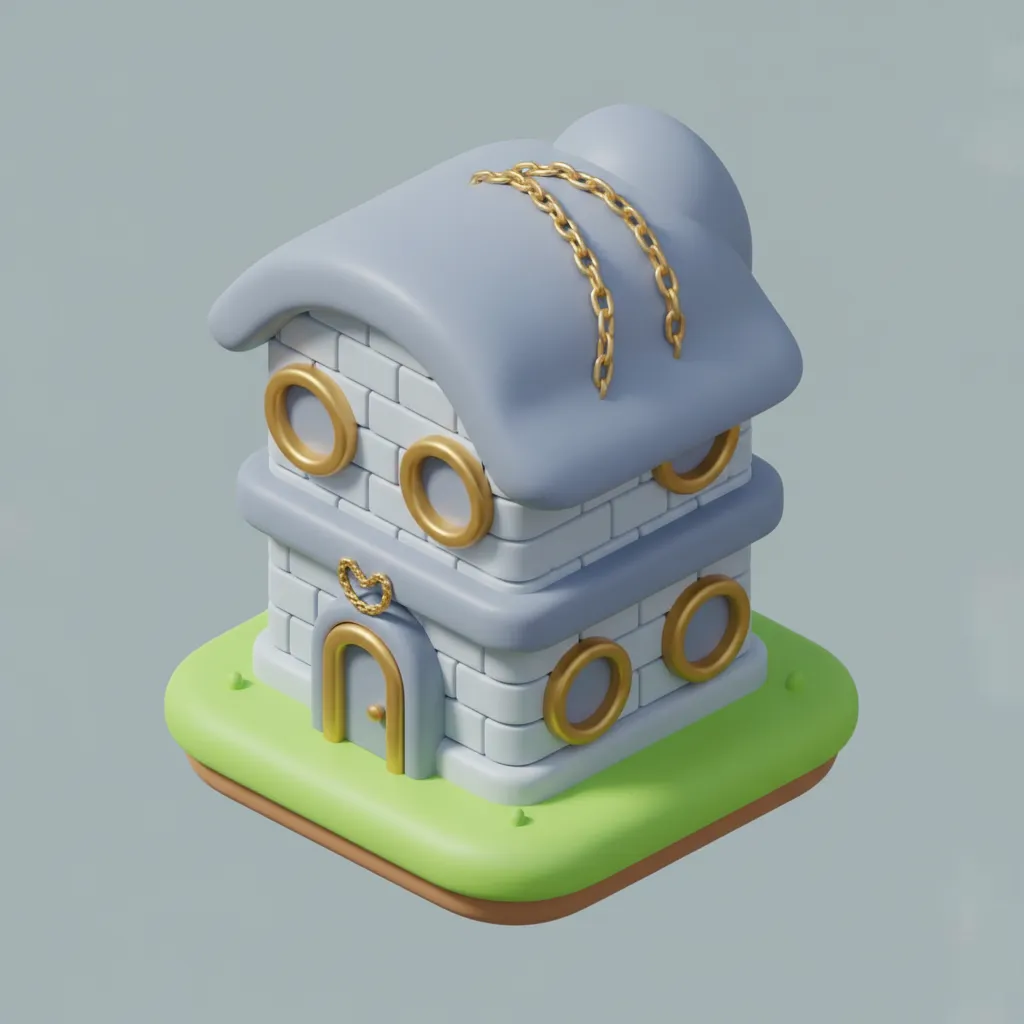
Best for: Showing buildings, game graphics, isometric designs
Prompt 41 — Interior Redesign
Put a Mona Lisa painting on the wall.
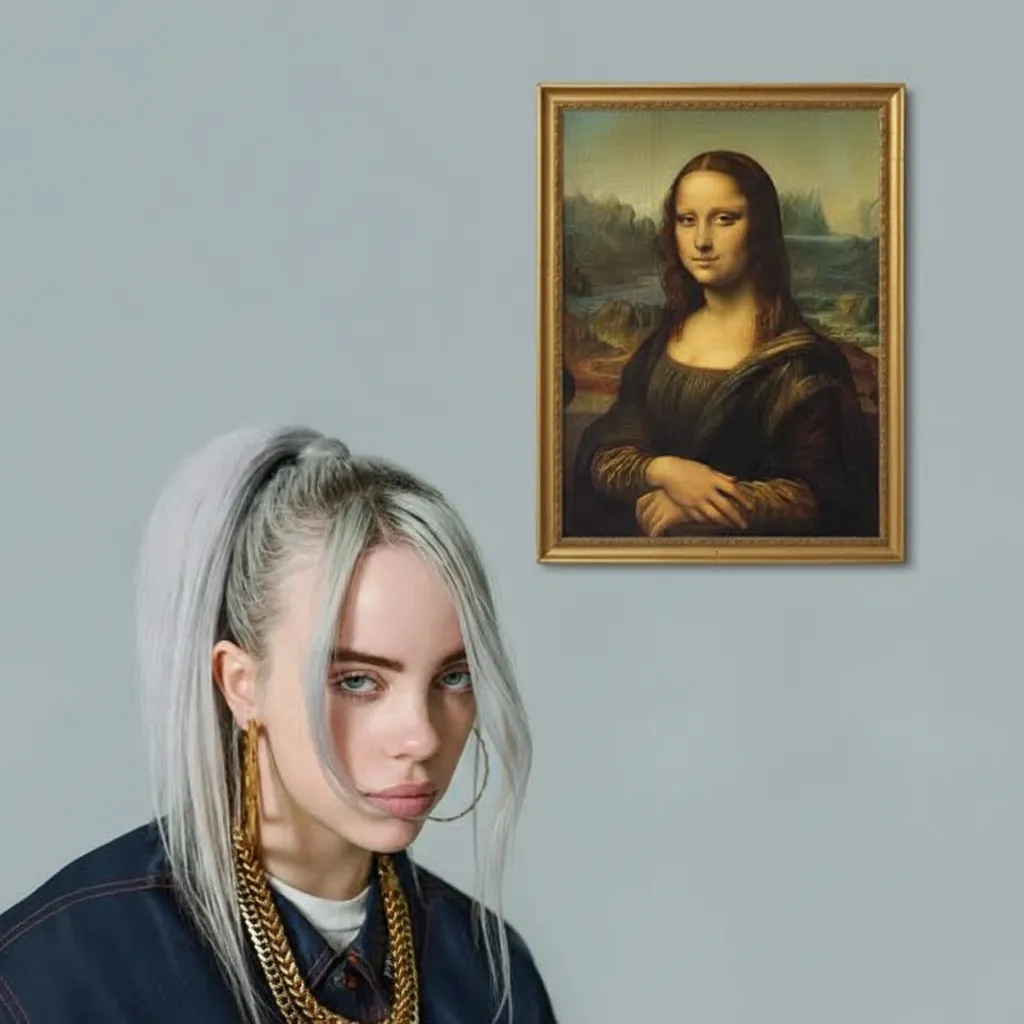
Best for: Room design, home styling, interior visuals
Special Effects
Prompt 42 — Figure Enhancement
Please apply the 'Boob Boost Effect' to this image. Enhance the bust's fullness and definition. Keep other elements and body proportions unchanged. Ensure the effect looks natural and smooth without exaggeration.
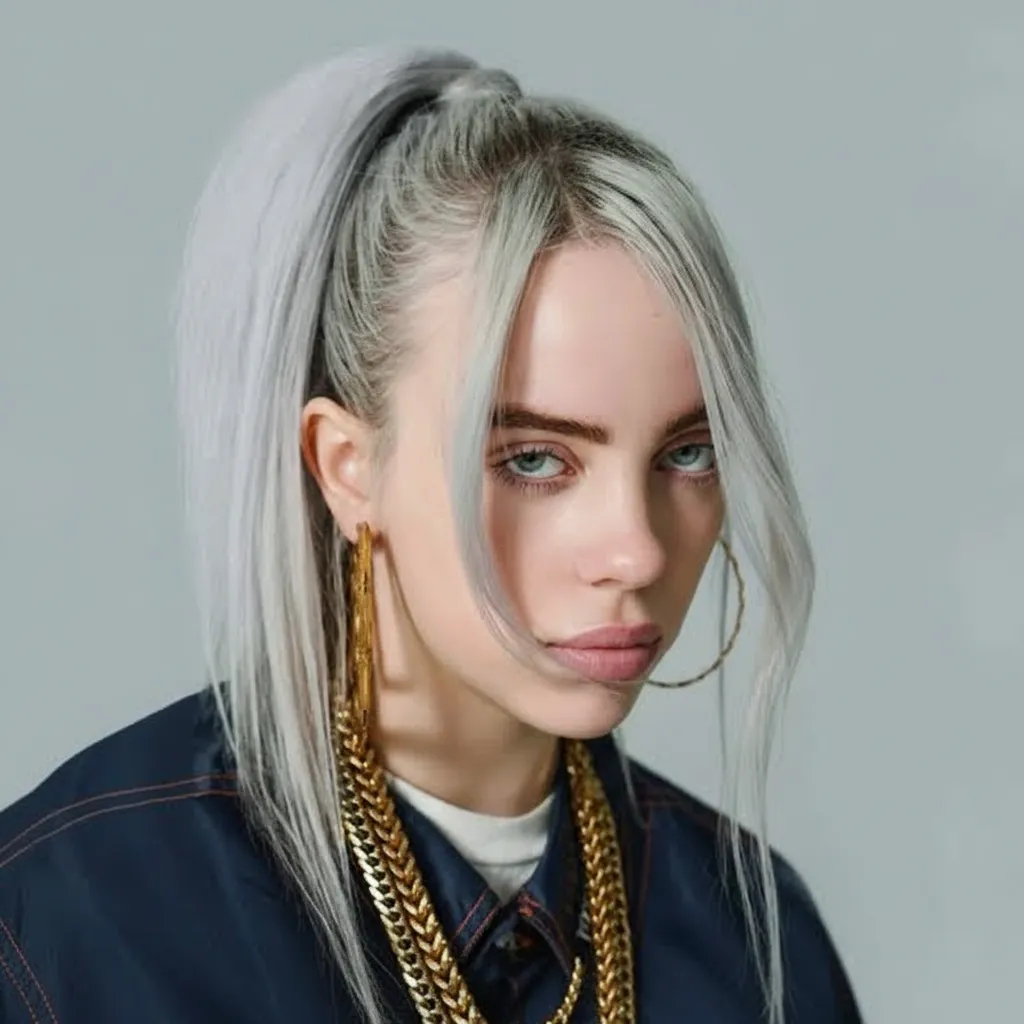
Best for: Photo enhancement, portrait retouching
Prompt 43 — Advanced 3D Figure Display
Please turn this photo into a character figure. Place a box behind it with the character's image printed on it. Add a computer next to it with its screen showing the Blender modeling process. Place a round plastic base in front of the box. Have the figure stand on the base. Use crystal-clear, translucent PVC material for the base. Set the scene indoors.
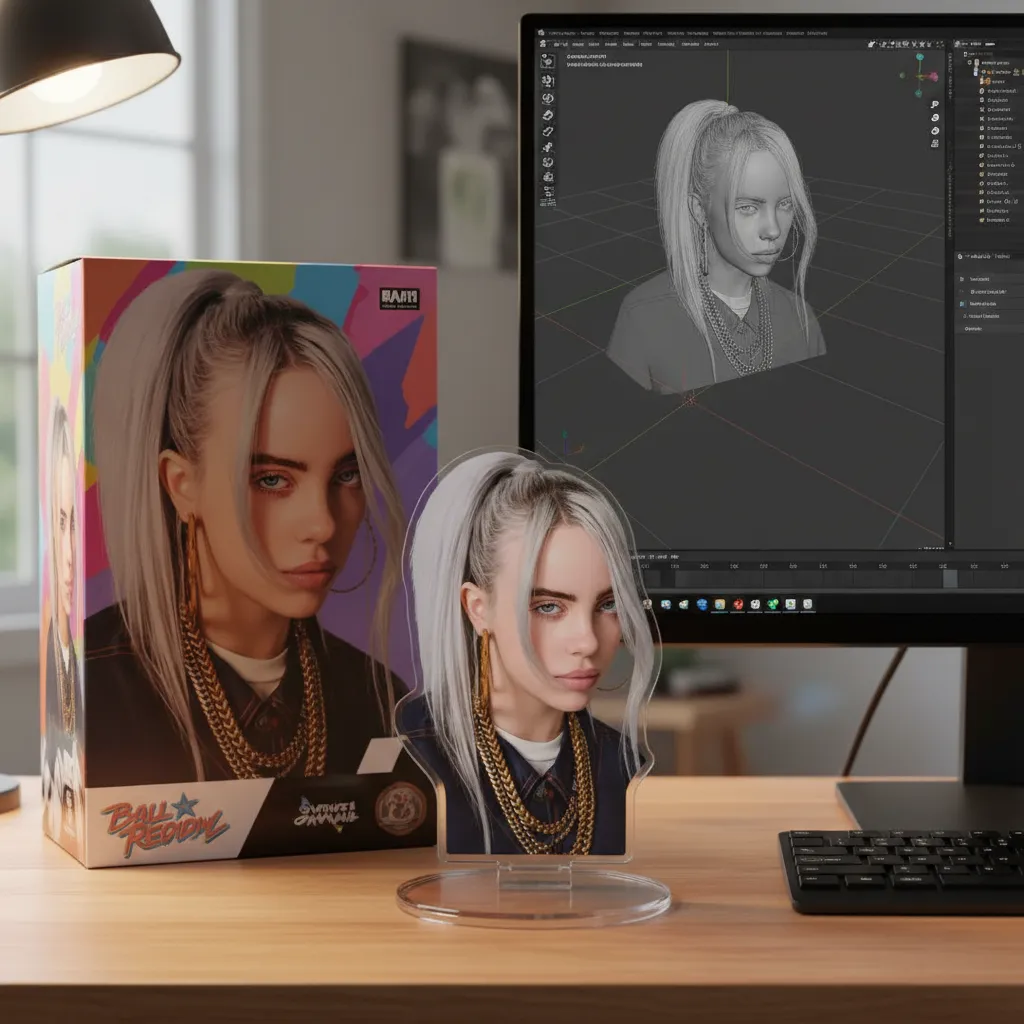
Best for: Product mockups, figure design, collectible visualization
Best Practices for Prompt Engineering
These tips help you create better prompts and get great results.
1. Add Details Gradually
Begin with a simple idea. Add more specific traits step by step:
- Less effective: "portrait"
- More effective: "professional portrait, soft lighting, clean background, confident expression"
2. Use Photography Terms
Art and photography words improve results:
- "bokeh background" — blurry, soft background
- "rule of thirds composition" — balanced framing
- "golden hour lighting" — warm, natural light
- "depth of field" — focused areas for emphasis
3. Include Quality Markers
Always mention quality in your prompts:
- "high resolution"
- "professional quality"
- "sharp focus"
- "detailed texture"
4. Set the Mood
Emotion changes the entire output:
- "warm and inviting" — friendly and welcoming
- "dramatic and moody" — bold and cinematic
- "playful and energetic" — bright and lively
- "calm and serene" — soft and peaceful tones
Common Pitfalls to Avoid
| Mistake | Why It Fails | Better Alternative |
|---|---|---|
| "Make it look good" | AI needs clear instructions | Describe specific visual features |
| "Dark bright colors" | These terms conflict | Pick one clear color style |
| 20+ descriptors in one prompt | Too much information confuses AI | Use 4–6 main details |
| "Not blurry" | Negative phrasing is less effective | Say "sharp focus" or "crisp details" |
Style Combination Ideas
Mix styles from the prompts above to make unique designs:
Gaming + Retro: Use Prompt 6 (16-bit) with GTA colors for a retro-modern look.
Portrait + Y2K: Blend Prompt 2 (artist portrait) with Y2K elements for nostalgic editorial vibes.
3D Toy + Pixel Art: Combine Prompt 25 (3D toy) with pixel art textures for a fresh hybrid style.
Architecture + Cartoon: Pair Prompt 40 (cute 3D building) with flat colors for fun architectural visuals.
Getting Started
Want to bring your ideas to life? Follow these simple steps:
- Pick a template — Find a prompt that fits your style from this guide.
- Change the details — Edit lighting, mood, or composition to suit your project.
- Test and tweak — Try different versions to see what works best.
- Blend ideas — Combine parts of prompts to make something unique.
Use these prompt styles on Nano Banana for 20 credits per generation. New users get free credits to try different styles.
Save this guide for easy access, and feel free to adjust prompts to match your vision.